1
Chapter 6 Terminal Operation
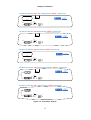
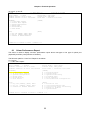
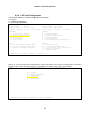
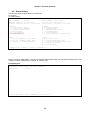
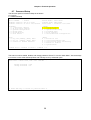
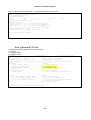
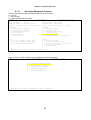
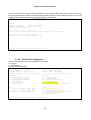
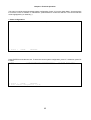
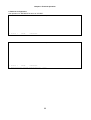
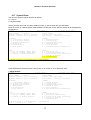
This menu is used to set up IP addresses and timezone for SNTP servers. The range for SNTP timezone is
+12 to -12. After done the setting, press "Y" to confirm the new configuration or "N" to abort it. For saving this
new configuration, press "v" from the "Main Menu".
E1-F OM
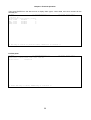
=== SNT P s etup == =
0 1:14 :28 06 /01/ 200 5
ARRO W K EYS : CU RSO R M OVE, Pl eas e In put : n nn.n nn. nnn .nnn , B ACK SPAC E t o e dit
SNTP se rve r 1 : 0 00. 000. 000 .00 0
SNTP se rve r 2 : 0 00. 000. 000 .00 0
SNTP ti mez one : + 0
>> C han ge conf igu rat ion (Y/ N)? (No te: to save ,pl eas e us e V -co mman d)
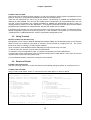
6.8.6 V.35 Card Setup
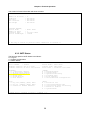
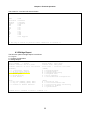
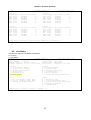
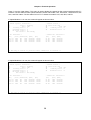
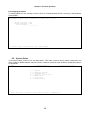
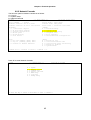
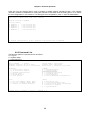
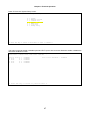
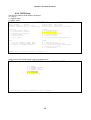
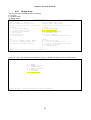
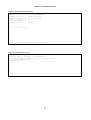
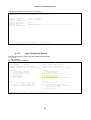
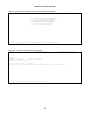
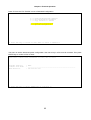
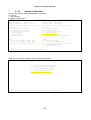
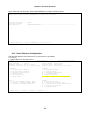
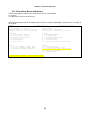
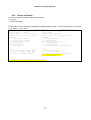
The full menu path for V.35 Card Setup is as follows:
O > Log On
S > System Setup
V > V.35 Card Setup
E1-F OM
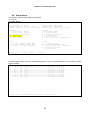
=== Mai n M enu ===
0 1:21 :30 01 /01/ 200 8
Seri al Num ber
: 11 8835
Hard war e V ersi on: Ve r.F 07/ 200 5
Firm war e V ersi on: V1 .02. 07 04/ 09/2 008
Devi ce Nam e : LOO P O 9310
Conn ect Po rt: SUP V_P ORT
Star t T ime
: 00: 00: 05 0 1/0 1/2 008
[DIS PLA Y]
1 -> 1 Hou r Pe rf. Re port
2 -> 24 Ho ur P erf . R epor t
C -> Sy ste m Co nfi gur atio n
Q -> Al arm Que ue
H -> Al arm His tor y
I -> Li ne Stat us
[SET UP]
P -> Pa ssw ord Set up
S -> Sy ste m Se tup
M -> Sy ste m Al arm Se tup
T -> Lo opb ack Tes t
L -> Fi le Tran sfe r
V -> St ore /Ret rie ve Conf igu rat ion
[LOG ]
F -> Lo g O ff [ SET UP] ,[MI SC] Me nu
O -> Lo g O n [ SET UP] ,[MI SC] Me nu
R -> Co nne ct t o R emo te T erm ina l
[MIS C]
A -> Al arm Cut Of f
K -> Cl ear Per for man ce D ata
X -> Cl ear Ala rm Que ue a nd His tory
Y -> Re tur n to De fau lt
Z -> Sy ste m Re set
>>SP ACE ba r to re fre sh o r e nte r a com man d == =>
49