1
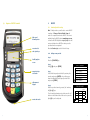
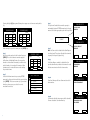
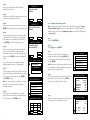
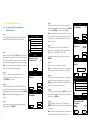
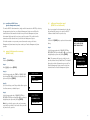
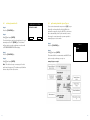
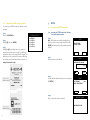
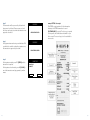
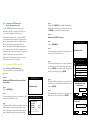
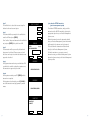
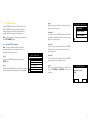
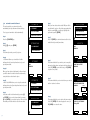
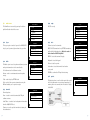
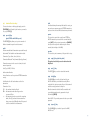
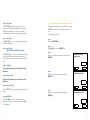
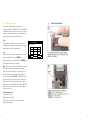
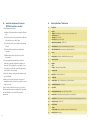
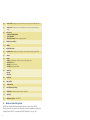
4.2 main menu The Main Menu is accessed by pressing the bottom right hand button beside the screen. 4.2.1 logon The Logon option is used to logon to the NAB/HICAPS host, log on by terminal, by merchant or by provider. MAIN MENU 1. LOGIN 2. BATCH 3. TERMINAL 4. SETUP 5. TESTS 6. REPRINT LOGON 1. LOGON HOST 2. PARAM TID 3. PARAM MERCHANT 4. PARAM PROVIDER 4.2.4 setup HICAPS use only. 4.2.5 tests Perform tests on the terminals: HOST: HICAPS transactions host, EFTPOS transactions, and Loads & Initialisations host. Only to be used on advice from the HICAPS Help Desk. DISPLAY: to test the terminal’s display. 4.2.2 batch The Batch option is used to perform settlement, review and reprint transactions in the current batch. For Settlement see the Settlement section. Review – used to review transactions and reprint a receipt. BATCH 1. SETTLEMENT 2. REVIEW 3. TOTAL 4. FIND View – is used to view the terminal and PIN pad software versions. TESTS 1. HOST 2. DISPLAY 3. KEYBOARD 4. PRINTER 5. CARD READ 6. PINPAD Printer: to test the printer. Card reader: to test the terminal’s card reader or any card. PINPAD: to confirm the PIN pad is functioning. 4.2.6 reprint The Reprint option is used to either reprint the receipt for the last transaction or reprint any transaction by entering the invoice number, which is the last 6 digits of the RRN. Find – used to find a previous transaction using the RRN and enables you to reprint a receipt. Terminal options: 1. TERMINAL 2. PRINTER 3. COMMS 4. PASSWORD 5. TIPS Keyboard: to test the keypad. Total – used to display EFTPOS totals. 4.2.3 terminal SETUP REPRINT 1. LAST 2. INVOICE TERMINAL 1. VIEW 2. LOAD TABLES 3. TRAINING Load Tables – is used to load configuration information from the NAB/HICAPS host. Training – is used to put the terminal into training for host transactions.