1
305/396
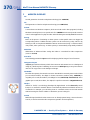
The “Options” Dialog
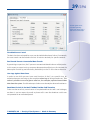
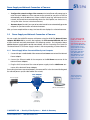
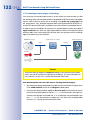
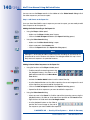
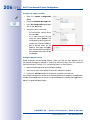
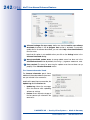
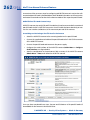
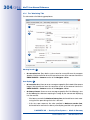
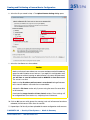
• Automatic stream recovery: If this checkbox is activated, MxControlCenter automatically tries to recover after the occurrence of a latency timeout and resumes showing
the video stream from the video source. If this checkbox is deactivated, the error
message or graphic will be shown until you switch the selected video source online
again. To do so, right-click in the display window and select Remove Stream Lock
from the context menu.
Caution
When using the latency time options, make sure that the system time of the camera
and the system time of the MxControlCenter computer are precisely synchronized.
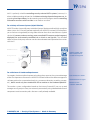
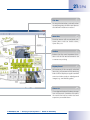
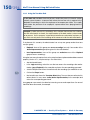
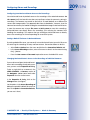
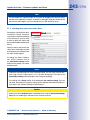
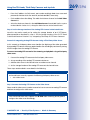
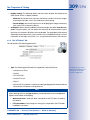
Dead Man’s Switch 3
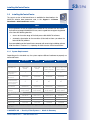
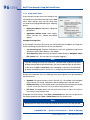
This option is primarily used to ensure that the staff of a monitoring workstation are well
and fulfilling their task. If MxControlCenter does not detect any activity within the specified
period of time, the application shows a prompt to remind the user that this alarm is about
to be triggered. If the prompt remains unconfirmed, MxControlCenter plays an alarm sound
and optionally sends an e-mail to the specified address.
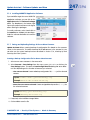
• Activate after: Activates an alert that triggers after the specified number of minutes
without detecting any monitoring activity.
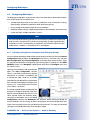
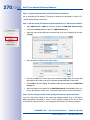
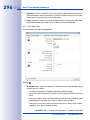
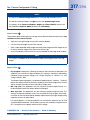
• Send e-mail message to: Sends an e-mail to the specified address entered in the
Mail Settings dialog:
– Mail settings: Opens the Mail Settings dialog to define the SMTP Settings and
the Message header (address, etc.).
– Preview: Activates the preview pane and shows the generated e-mail.
– Edit Template: Shows the XSL file that formats the e-mail output in a web browser.
You can use a text editor to modify the XSL file (recommended for experts only).
– Send Test Mail: Sends an e-mail using the settings you specified above.
For more information on this topic, see Section 3.8.1, «Working with the Dead Man’s Switch».
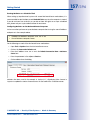
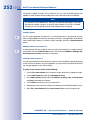
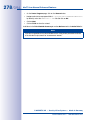
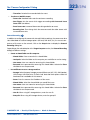
Event Cache 4
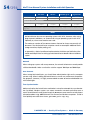
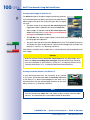
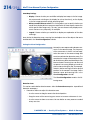
This checkbox enables MxControlCenter’s event cache, which downloads event information
from all cameras that are listed in the VIDEO SOURCES > Cameras section of the Navigator
sidebar panel. If this option is deactivated, the event searches (EVENT SEARCHES section
of the Navigator sidebar panel) will not work (see Section 3.5.8, «Using Event Searches»).
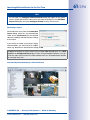
The default setting of the Network cache size is 64MB, the maximal value is 2GB. Provided
that you have sufficient storage capacity on your hard drive, we recommend setting the
maximum value to minimize the loading times of the video system for event searches.
Limit the setting of the Network cache to „0“ to prevent local access to the data.
© MOBOTIX AG • Security-Vision-Systems • Made in Germany
www.mobotix.com • [email protected]