1
HP/ElectraLink DTS - Toolset On-line User Guide – D-FlowMaster
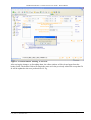
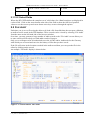
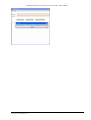
2.5 MESSAGE SEARCH RESULTS TABLE
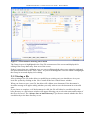
The fields in the Message Search Results Table are detailed below:
Login Id
This shows the login id of the user who performed an operation on the file
Date/Time
This displays the date and time that the user read or saved the file.
S/R
Displays ‘S’ where the Message has been sent by the local Gateway.
Displays ‘R’ where the Message has been received by the local Gateway.
User File
ID
The file identifier assigned to the file by the sender.
Data Flow
Flow Number e.g. D0010. The number or name assigned to a specific Data
Flow/File Type.
Vn
Data Flow Version number. The version number changes when a Data Flow
is modified. RGMA File Types always have a version number of 001.
TF
The Test Flag of the File.
From MPID
Displays the Market Participant Identifier (MPID) of the sender
From Role
Displays the Role of the sender.
To MPID
Displays the Market Participant Identifier (MPID) of the receipient.
To Role
Displays the Role of the recipient
R/W
Indicates whether the file was read (R) or written (W) by the user.
Filename
The full path name of the file relative to the user’s workstation.
Page 1 of 1
Displays the current page a User is viewing and the total number of pages.
1 message
The total number of Files returned by the search
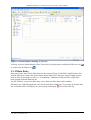
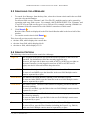
A maximum of 100 Files are displayed per page in the Table of Results and can be viewed using
the scroll bar.
1.
To display the next page of Files, click Next .
2.
To display the previous page of Files, click Previous .
3.
To display the last page of Files, click Last .
4.
To return to the first page of Files, click First .
5.
To update the results, click Refresh .
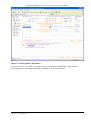
2.6 PREFERENCES
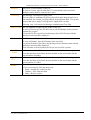
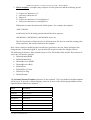
Before using D-FlowMaster™, each user authorised to use the tool must, at a minimum, have the
following three preferences defined:
1. Base directory. This is the directory where the open and save file browsers will start
browsing. The user’s local security policy must allow read and write access to this directory
as a minimum.
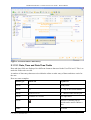
2. Next file id. This is a CHAR(10) value that D-FlowMaster™ will use to automatically
populate the File Id field of any new user files created in the editor. If the user saves a file
with this id, D-FlowMaster™ will increment the next file id preference value by one. The
sequence followed depends on the file id template that you have defined. (See below).
11/07/2011
Copyright © 2003, 2004-2010 Hewlett-Packard Development Company, L.P.
User_Guide - D-FlowMaster.docx
Page 25 of 36