1
Setup
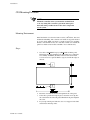
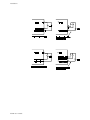
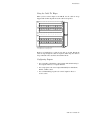
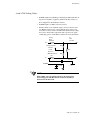
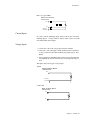
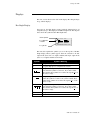
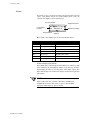
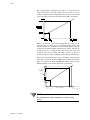
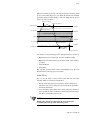
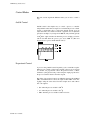
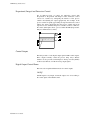
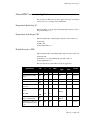
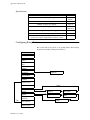
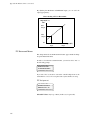
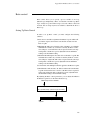
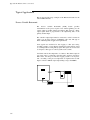
When the controller powers up or the setpoint changes, deviation alarms
do not activate until the process goes inside the deviation alarm band,
preventing deviation alarms during a cold start. (High and low process
alarms are always enabled.)
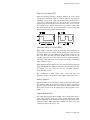
High process alarm on
High process alarm off
High Alarm Limit
} Deadband
High deviation alarm on
SP + Deviation
} Deadband
High deviation alarm off
Setpoint
Low deviation alarm off
} Deadband
SP - Deviation
Low deviation alarm on
} Deadband
Low Alarm Limit
Low process alarm on
Low process alarm off
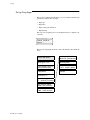
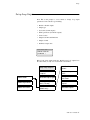
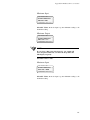
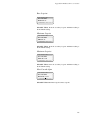
Use menus to set the following process alarm parameters for each loop:
• High and low process alarm type, setpoint, and digital output
• High and low deviation alarm type, deviation alarm value, and digital output
• Alarm deadband
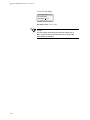
• Alarm delay
The setpoints, deviation alarm values, and deadband all use the same
decimal format as the loop's process variable.
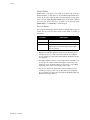
Alarm Delay
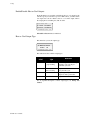
You can set the CLS to delay normal alarm detection and alarm
reporting. There are two kinds of alarm delay:
• Start-up alarm delay delays process alarms (but not failed sensor
alarms) for all loops for a time period you set in the Set up Global
Parameters main menu.
• Loop alarm delay delays failed sensor alarms and process alarms for
one loop until the alarm condition is continuously present for longer
than the loop alarm delay time you set.
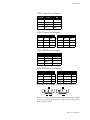
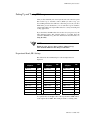
NOTE
Failed sensor alarms are affected by the loop alarm delay
even during the start-up alarm delay time period.
CLS User’s Guide 89