1
BackyardEOS – User's Guide
Abort Delay............................................................................................................... 23
Low Battery Alarm ................................................................................................... 23
Netbook Resolution .................................................................................................. 24
Planetary........................................................................................................................ 24
Advanced Settings......................................................................................................... 25
EOS Utility Check .................................................................................................... 25
Skip READ EXIF Data ............................................................................................. 25
Skip WRITE EXIF Data ........................................................................................... 26
Processor Affinity ..................................................................................................... 26
Camera Auto-Connect............................................................................................... 26
Camera Force Read Properties.................................................................................. 26
Experimental Settings: .................................................................................................. 26
BackyardEOS Operations ................................................................................................. 28
Starting BackyardEOS .................................................................................................. 28
Frame and Focus Mode................................................................................................. 29
A word about Full Width Half Maximum (FWHM) ................................................ 29
Focusing without Live View..................................................................................... 30
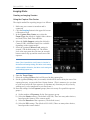
Imaging Mode ............................................................................................................... 32
Creating an Imaging Session .................................................................................... 32
Using the Capture Plan Center.................................................................................. 32
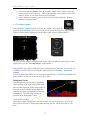
Histogram Center ...................................................................................................... 33
Aborting an Image Session ....................................................................................... 34
Using the (exposure) Loop feature............................................................................ 34
Using the (exposure) Preview feature. ...................................................................... 34
Using the (exposure) Test Cable feature................................................................... 34
Using the Eclipse Framing feature............................................................................ 35
Some notes regarding Darks and Flats...................................................................... 35
Viewing Images ............................................................................................................ 36
Fit Zoom.................................................................................................................... 36
Presentation ............................................................................................................... 36
Toggle Crosshair ....................................................................................................... 36
EXIF Data ................................................................................................................. 37
Eclipse Framing ........................................................................................................ 37
Thumbnail ................................................................................................................. 37
Other Image Center Controls .................................................................................... 37
Planetary Mode ............................................................................................................. 38
Using the Planetary Capture Plan ............................................................................. 38
Drift Align Mode .......................................................................................................... 41
ASCOM ........................................................................................................................ 43
ASCOM as-is Position or Tear Off........................................................................... 44
Troubleshooting ................................................................................................................ 45
Why is there an alarm every 15 seconds, what does it mean? ...................................... 45
Why is the Camera Center reporting a conflicting dial mode? ..................................... 45
Why is the Lens Drive in Frame & Focus not driving my lens? .................................. 45
Why is the abort button not aborting my session? ........................................................ 45
Index.................................................................................................................................. 46
3