1
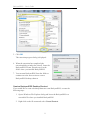
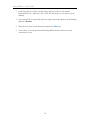
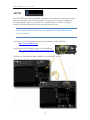
BackyardEOS – User's Guide Installing BackyardEOS BackyardEOS is delivered in an electronic download format only. The installer package is straightforward;; click, click, click and you’re done. This are no gymnastics performed with any registry keys! As a result you can just as easily copy the entire content of the installation folder anywhere after a successful installation and run the application from there; including a USB key; though it may run a bit slower. You may download the latest release on our website. http://www.BackyardEOS.com/ BackyardEOS requires a license file to run. There are 2 ways in which you can obtain a license file. Purchase a copy of BackyardEOS or request a free 30 day trial license file. Please consult our web site to purchase BackyardEOS or to obtain your free 30 day trial license file. Prerequisites: Window XP, Vista, or Windows 7 Microsoft .Net Framework 3.5 Minimum screen resolution is 1024 x 768 or higher for regular use or 1024 x 600 for Netbooks. BackyardEOS will automatically detect if you're running on a Netbook and will scale down to run efficiently on 1024 x 600 resolution monitors. The installer will guide you to Microsoft's download site if the .Net Framework 3.5 is not installed. Note: The following instructions and screen shots are typical for a Windows 7 installation. 7