1
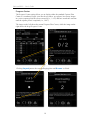
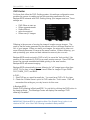
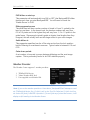
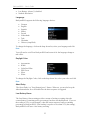
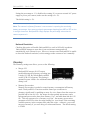
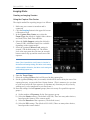
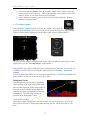
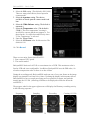
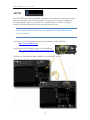
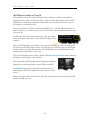
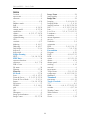
BackyardEOS – User's Guide Frame your target knowing you can see the full DLSR field of view (except on Netbooks) An instant Zoom Box feedback with up to 5x. Lock the Zoom Box position anywhere on the full DLSR field of view; not just the center. Star HD which stacks live view frames instantly and enhance stars using a blend of contrast, brightness, invert, and logarithm, and edge detections when a Bahtinov mask is used. Control and focus your camera lens if you are using photo lens from BackyardEOS. Planetary Mode In Planetary Mode, BackyardEOS has the ability to capture short movies with your digital canon DSLR using its Live View capabilities (this feature is only available on those EOS digital models having Live View), directly to your computer. The Planetary Model allows you to set the following parameters: Shutter (Bulb, 2.5 seconds to 1/8000)* ISO (100-3200)* Aperture (f2.8 to f22)* White Balance Target Name Image Count (The total number of Live View images to be captured.) For planets, use the in-camera 5x zoom feature to enhance viewing. Place the zoom rectangle where your object is and click to zoom and lock on its position. * Settings are dependent on the existing capabilities of your EOS digital camera. Drift Align Mode The Drift Align Mode allows you to record the drift error by stacking live view frames over a period of time; typically between 2 to 10 minutes. It all depends on how accurate your initial mount alignment is. Uses Live View. It works by stacking live view frames over time; leaving a star trail behind. Current image stack with star trail is always visible. First frame is always visible as a reference point. Rotatable crosshair for proper east/west and north/south orientation. Adjustable crosshair width. No predefined drift period, let it run for as long (or as short) as you need. 5