1
User’s Guide
add4Q
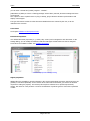
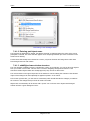
Naming schemes:
Naming conventions are little discussed project agreements, as certain standards have already been set up
from actual practice. By using add4Q one can define a syntax which will be set automatically when creating
requirements and test cases. For example: numbering_type_name. See chapter Use of name prefixes.
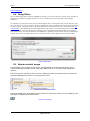
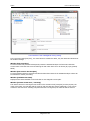
Already created documents are displayed here. By double-clicking on the desired document or by selecting
a document and click on the "Edit" button the configuration dialog box will be opened for entering the
naming convention. Naming schemes can be created for requirements and test cases and are valid
document-specifically.
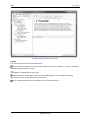
editor:
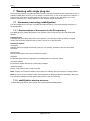
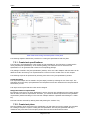
[Document templates] add4Q offers the possibility to save created documents as templates for the use in
other projects. Specify the path where you want to store document templates. Template files are stored in
XML format.
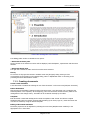
[Font] Enter your default font for creating documents.
[Miscellaneous] Checkboxes for retrieving the latest version of a document from version control when
opening a document, the display of notes and auto-save interval.
tester:
[Miscellaneous] Activate the checkbox to retrieve the latest version of a document from version control
when opening a document.
tracer:
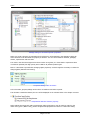
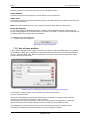
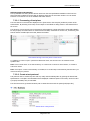
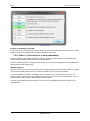
When creating or linking traceable elements, errors and omissions can happen. For each error class it can
be specified in the tracer dialog how this class is rated. See also Classification of trace problems.
Settings dialog for trace output
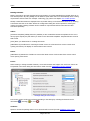
In the tracer output results can be filtered according to the settings by selecting the desired icon for
information ( ), warning ( ) or error ( ).
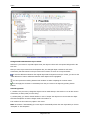
reviewer:
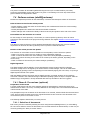
Option to choose the package where review protocols will be stored (see also Definition of the review
Page 18 of 42