1
User’s Guide
add4Q
Table of Contents
1
2
3
4
5
6
7
8
Introduction ...................................................................................................................................... 4
add4Q Toolkit environment ............................................................................................................. 5
2.1
Enterprise Architect and add4Q – a very good combination ................................................... 5
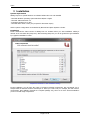
Installation........................................................................................................................................ 6
Licensing.......................................................................................................................................... 7
Overview of the features .................................................................................................................. 9
5.1
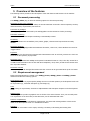
Document processing .............................................................................................................. 9
5.2
Requirement management ...................................................................................................... 9
5.3
Test planning ......................................................................................................................... 10
5.4
Review management ............................................................................................................. 10
Guideline for the preparation and classification of projects ........................................................... 11
6.1
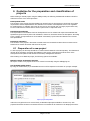
Preparation of a new project.................................................................................................. 11
6.1.1
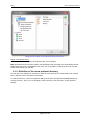
Definition of development levels ...................................................................................... 12
6.1.2
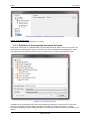
Definition of the review protocol directory ........................................................................ 13
6.1.3
Definition of the proposed document structure ................................................................ 14
6.1.4
Review of project structure .............................................................................................. 15
6.2
Alternative procedure for creating a project structure ........................................................... 15
6.3
Other program settings .......................................................................................................... 15
6.4
Using Filters ........................................................................................................................... 19
6.5
Version control usage ............................................................................................................ 19
Working with single plug-ins ........................................................................................................... 20
7.1
Document processing (add4Q||editor) ................................................................................... 20
7.1.1
Representation of documents in the EA repository ......................................................... 20
7.1.2
add4Q||editor window structure ....................................................................................... 20
7.1.3
Creating documents ......................................................................................................... 21
7.1.4
Editing of the document structure .................................................................................... 22
7.1.5
Use of name prefixes ....................................................................................................... 23
7.1.6
Edit text contents ............................................................................................................. 24
7.1.7
Edit requirements ............................................................................................................. 25
7.1.8
Generate documents ....................................................................................................... 25
7.1.9
Create a document overview ........................................................................................... 25
7.2
Requirement management .................................................................................................... 25
7.2.1
Linking rules ..................................................................................................................... 26
7.2.2
Link requirements (add4Q||linker) ................................................................................... 27
7.2.3
Split / merge requirements ............................................................................................... 28
7.2.4
Check requirement links (add4Q||tracer) ......................................................................... 28
7.2.5
Classification of trace problems ....................................................................................... 29
7.2.6
Create trace report ........................................................................................................... 31
7.2.7
Visualization of requirement links (add4Q||viewer) ......................................................... 31
7.3
Test management (add4Q||tester) ........................................................................................ 32
7.3.1
Create test specifications ................................................................................................. 34
7.3.2
Create test plans .............................................................................................................. 34
7.3.2.1
Processing of test plans ............................................................................................ 35
7.3.2.2
Create a test protocol ................................................................................................ 35
7.4
Perform reviews (add4Q||reviewer) ....................................................................................... 36
7.4.1
Phase 0: Pre-reviews (optional)....................................................................................... 36
7.4.1.1
Selection of documents ............................................................................................. 36
7.4.1.2
Entering participant name .......................................................................................... 37
7.4.1.3
add4Q||reviewer window structure ............................................................................ 37
7.4.2
Phase 1: Discussion of review (mandatory) .................................................................... 39
7.4.3
Phase 2: Correction from review results (optional) .......................................................... 41
7.4.4
Phase 3: Release (mandatory) ........................................................................................ 41
Copyright Verweise ........................................................................................................................ 42
8.1
Disclaimer and warranty ........................................................................................................ 42
8.2
Contact .................................................................................................................................. 42
Page 2 of 42