1
add4Q
User’s GuideUser's Manual
Table of Figures
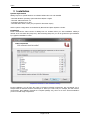
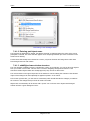
Component selection in the installation dialog ........................................................................................ 6
Dialog for product activation .................................................................................................................... 7
4plus project templates .......................................................................................................................... 11
Dialog for the creation of development levels (trace levels) .................................................................. 13
Dialog for the selection or creation of the review directory ................................................................... 14
Creation of a document structure .......................................................................................................... 14
Example of a project structure with created levels ................................................................................ 15
Document properties settings dialog ..................................................................................................... 16
Settings dialog for document-specific properties .................................................................................. 17
Properties dialog in the document ......................................................................................................... 17
Requirement with the "Hazard" property ............................................................................................... 17
Settings dialog for trace output .............................................................................................................. 18
Filter configuration ................................................................................................................................. 19
Context menu of version control ............................................................................................................ 19
Icons for refreshing ................................................................................................................................ 19
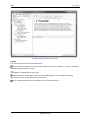
View of the add4Q||editor user interface ............................................................................................... 21
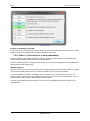
Dialog for editing document variables ................................................................................................... 22
UML diagram in the add4Q editor ......................................................................................................... 23
Naming scheme configuration dialog for requirements and test cases ................................................ 23
Project example with levels and requirements in the EA project browser ............................................ 26
Filter options in the objects view ........................................................................................................... 27
Example in the add4Q||linker ................................................................................................................ 27
Dialog box for splitting or merging of requirements ............................................................................... 28
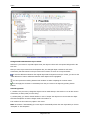
Default view of the add4Q||tracer with error output ............................................................................... 29
View of the add4Q||tracer with document filter ...................................................................................... 29
Left: split/merge error; right: correct link ................................................................................................ 30
Example of a linked requirement with associated test cases ................................................................ 31
User interface of the add4Q||tester during editing ................................................................................. 33
View of the tester during execution phase of test plans ........................................................................ 34
Test window during execution phase of test cases ............................................................................... 35
Extract from a test protocol.................................................................................................................... 35
Start dialog of the add4Q||reviewer ....................................................................................................... 37
Reviewer window during a pre-review................................................................................................... 38
Tree view key ........................................................................................................................................ 39
User interface of the add4Q||reviewer in review mode ......................................................................... 40
Page 3 of 42