1
Managing SharePoint Sites
Use SharePoint Sites to register SharePoint Online sites to DocAve Online in order for those sites to be
managed by DocAve Online. You can also manage SharePoint Sites groups. A SharePoint Sites group is a
collection of registered SharePoint Online site collections, which allows you to centrally manage and
allocate your SharePoint Online sites.
To access the SharePoint Sites tab for DocAve Online, complete the following steps:
1. In the Control Panel interface, click SharePoint Sites under the Office 365 Settings heading.
2. When finished with the SharePoint Online sites management, click Cancel on the ribbon to close
the SharePoint Sites page.
Working with the SharePoint Sites Tab
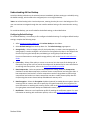
With the SharePoint Sites tab activated, perform the actions on the ribbon according to your
requirements. The buttons in the Site Collection Registration Mode group are mainly used to choose
the method of adding site collections to SharePoint Sites group.
•
Scan Mode – Scan site collections to add to SharePoint Sites groups.
•
Batch Import – Import site collections in batch to add to SharePoint Sites groups.
•
Single Site Collection – Add site collections one by one to SharePoint Sites groups
manually.
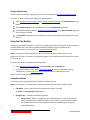
The buttons in the Site Collection Management group are mainly used to manage the SharePoint Online
sites and SharePoint Sites group.
•
Reconnect – When the site collections added in the SharePoint Sites group fail to
connect, reconnect them by specifying your Office 365 credentials.
•
New Group – Create a new SharePoint Sites group.
•
Delete – Delete the selected SharePoint Sites groups.
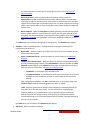
The following buttons in the Actions group are used mainly to manage SharePoint Online sites:
•
Add – Add the selected site collections on the left pane to the selected SharePoint Sites
group on the right SharePoint Sites Group pane.
•
Remove – Remove the site collections from the selected SharePoint Sites group.
•
Scan – Scan the site collections in your SharePoint Online. The available site collections
are displayed on the left Site Collection pane.
DocAve Online
31