1
242
AShop V User Guide
Recovering Incomplete and Failed Orders
Preliminary Orders
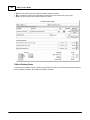
A preliminary orderid is created each time a customer begins to add products to his/her cart. A
preliminary order is saved in the database for each shopping session so that many customers may shop
at the same time and also to enable more data to be processed for each order. Payment gateways limit
the amount of data that can be passed through the payment process. Preliminary orders are used by the
shopping cart to handle more order related data.
Note: When viewing sales reports for active paid and unpaid orders, the orderid reference numbers will
have gaps in the sequence. This is normal because not all preliminary orders are completed.
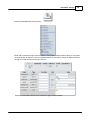
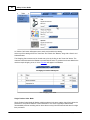
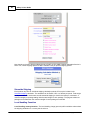
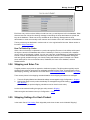
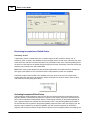
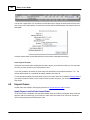
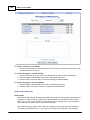
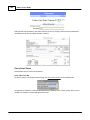
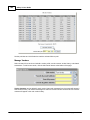
Preliminary orders will accumulate in the database over time, which is why there is a Clear button.
Clicking this button will remove all preliminary orders except the last 10 (since some of them could be
orders that are currently being processed).
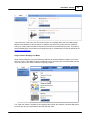
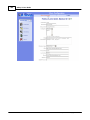
Activating Incomplete/Failed Orders
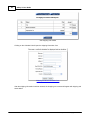
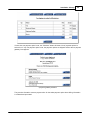
Failed orders are simply preliminary orders, which have not received a payment confirmation from the
payment gateway. Unfortunately the Internet is not perfect. Connections, equipment, and software can
fail for various sometimes unexplainable reasons. The shopping cart relies on the payment gateway to
post a payment response to complete and activate each order. If the payment gateway has trouble at
the time that the order is placed or the payment gateway response fails to reach the shopping cart, the
payment may be captured by the payment gateway, but until a payment response is received the
shopping cart will not send a store receipt and the order will not be recorded as paid in the shopping cart
AShop Software © Copyright 2002 - 2010