1
166
AShop V User Guide
work, but we are not sure which ones or how to check for all of them. If this test fails, you can still install
and run AShop. If there are no PHP warning messages at the top of AShop pages, then the setting is
probably ok.
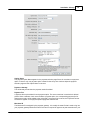
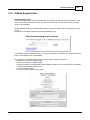
fsockopen-function is working
The fsockopen-function is used for server to server communication. It is required to update the IonCube
loader and to register the license key.
IonCube decryption is working
Automatically gets the correct IonCube loader from ashopsoftware.com and uploads the file to the
ioncube directory within the new installation. The ashoptest.php script then checks to see if IonCube
decryption is working. This test will also report if IonCube loaders are loaded during run time or if they
are included in php.ini.
The AShop Software license server can be reached
This test confirms that server to server communication is taking place with the AShop license server.
2.28.1.3 Curl With SSL
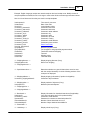
Payment Gateway Modules That Use Curl SSL
3rdlevelbilling.gw
authorizenetaim.gw
echo.gw
iongate.gw
linkpointform.gw
paynova.gw
paynova2.gw
paypal.gw
payready.gw
Curl with SSL is also used for FedEx and UPS shipping rates calculation, Authorize.Net Automatic
Rebilling, SAASU integration and TeleSign integration. If you do not intend to use any of these features
you can run AShop without Curl with SSL. There are other features that require Curl though, but without
the SSL part.
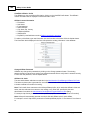
Some web hosting services set up Curl on a proxy server. In this case Curl must be given parameters to
work with the proxy server.
The scripts that use Curl SSL include a file named admin/curl.inc.php if it exists. Additional Curl settings
can be included in this file, which will then be applied before Curl is run. An example curl.inc.php file for
GoDaddy hosting service is provided with the AShop distribution file package. It is named godaddy-curl.
inc.php. To use it with GoDaddy hosting service, first verify with GoDaddy tech support that the settings
are correct and then rename the file to curl.inc.php
2.28.1.4 Cannot Modify Header Information - Already Modified By...
Installation seems to have gone ok, but upon logging into in, something similar to the following message
appears...
Warning: Cannot modify header information - headers already sent by (output started at
/home/resilien/public_html/yourdomain//ashop/admin/config.inc.php:50) in /home/
AShop Software © Copyright 2002 - 2010