1
Chapter 10: Managing Units
181
2.
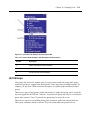
Click Appliance Settings in the side navigation bar and then click Local Accounts. The
Appliance Local User Accounts window will open.
3.
Click on the name of a local account. The Appliance Local User Account Settings window
will open. (If the local user has Configure Local Accounts rights, a message will indicate
that the local user may access all target devices in the system.)
4.
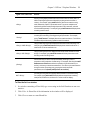
For all managed appliances except CCM appliances: click Access Rights in the side
navigation bar. The Appliance Local User Account Access Rights window will open.
5.
6.
•
To add local user account access to one or more target devices, select the target
device(s) in the Available Target Devices list. Click Add. The target devices will be
moved to the Assigned Target Devices list.
•
To remove local user account access to one or more target devices, select the target
device(s) in the Assigned Target Devices list. Click Remove. The target devices will be
moved to the Available Target Devices list.
For CCM appliances:
•
To change local user account access by port, click Access Rights in the side navigation
bar and then Port. Select the ports in the Available list and then click Add. The
selected ports will be moved to the Assigned list.
•
To change local user account access by group, click Access Rights in the side
navigation bar and then Group. Select the groups in the Available list and then click
Add. The selected groups will be moved to the Assigned list.
Click Save and then click Close. The Appliance Local User Accounts window will open.
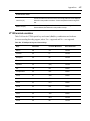
Embedded Units
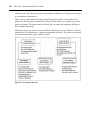
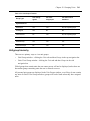
The IBM ASM RSA II and the DRAC 4 embedded units have one target port and one
appliance for each embedded appliance.
The NEC IPF embedded unit has nine target ports and one appliance for each embedded
appliance. Port names default to “Blade” plus the port number.
The HP iLO embedded unit has one target device.
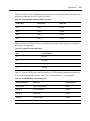
In the DSView 3 software, each of these appliance types will contain specific information
about the target as well as the embedded appliance itself. All KVM connections are initiated
through the target port/device.
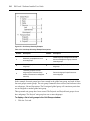
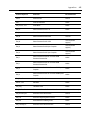
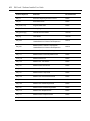
After an embedded appliance type is added to the DSView 3 software, an appliance type is
added under the Appliances link in the side navigation bar.