1
238
DSView® 3 Software Installer/User Guide
g.
3.
4.
Click Save and then click Close. The Appliance - All window will open. The side
navigation bar will now include Test Configuration instead of Custom Field Labels.
The test configuration will also include an EVR1500 environmental monitor that is
managed by Mary Jones. The EVR1500 environmental monitor has also not been verified
for the final configuration, so the administrator will include it in the Initial Configuration
category.
a.
In the Appliances - All window, click on the EVR1500 environmental monitor. The
Unit Overview window will open.
b.
Click Properties in the side navigation bar and then click Custom Fields. The Unit
Custom Fields window will open, including the custom field names defined in step 1.
c.
In the Test Configuration field, type Initial Configuration.
d.
In the Appliances and target devices field, type EVR1500 Environmental Monitors.
e.
In the Manager field, type Mary Jones.
f.
Click Save and then click Close. The Appliance - All window will open.
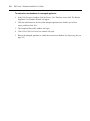
The configuration of a generic appliance has been verified, so the administrator wants to
create a category named Final Configuration that will contain the final test units. The
category will contain one generic appliance managed by Tim Brown.
a.
In the Appliances - All window, click on the generic appliance. The Unit Overview
window will open.
b.
Click Properties in the side navigation bar and then click Custom Fields. The Unit
Custom Fields window will open, including the custom field names you defined in
step 1.
c.
In the Test Configuration field, type Final Configuration.
d.
In the Appliances and target devices field, type Generic Appliances.
e.
In the Manager field, type Tim Brown.
f.
Click Save and then click Close. The Appliance - All window will open.
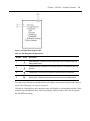
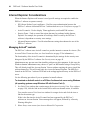
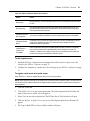
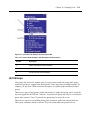
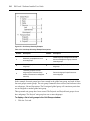
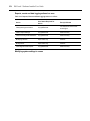
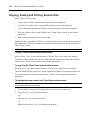
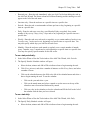
Figure 15.1 indicates how the side navigation bar will appear after the example procedure.
Clicking on a custom field link displays the units associated with that custom field.