1
Chapter 16: DS Zones
259
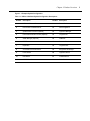
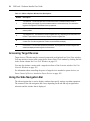
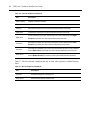
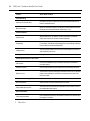
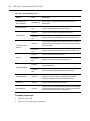
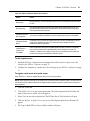
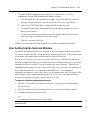
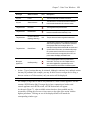
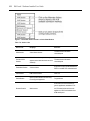
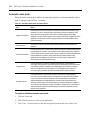
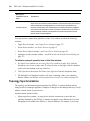
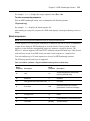
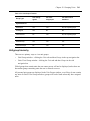
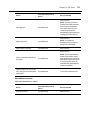
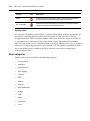
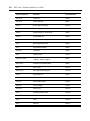
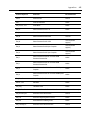
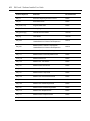
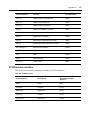
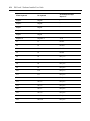
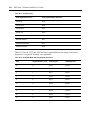
Table 16.4: Modifying System Settings in a Zone
Action User Status Required for
Action Zone(s) Affected Modify DSView 3 server settings
Super users only
All zones.
Modify global properties
Super users only
All zones.
Back up the DSView 3 server
database and system files
Super users only
All zones.
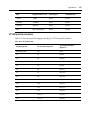
Schedule power control
Any qualified user
All zones.
Export event log
Any qualified user
Active zone only.
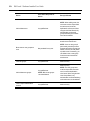
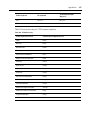
Migrate units
Any qualified user
Active zone only.
Pull names from selected units
Any qualified user
Active zone only.
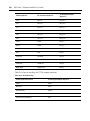
Test modem connection
Any qualified user
All zones.
Update topology
Any qualified user
Active zone only.
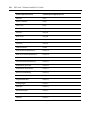
Upgrade firmware
Any qualified user
Active zone only.
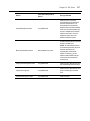
Validate external authentication
services user accounts
Any qualified user
Active zone only.
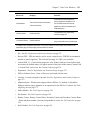
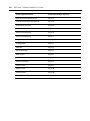
View appliance files
Any qualified user
Active zone only.
Manage plug-ins
Super users only
All zones.
Configure SNMP trap settings
Any qualified user
Active zone only.
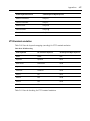
Import system settings
Super users only
To the top level zone only. The top
level zone must be active at the time
of import.