1
202
DSView® 3 Software Installer/User Guide
Customizing the Active Sessions window for all sessions
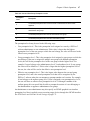
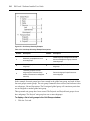
The Start-Date-Time field, which indicates when the target device session was started, is always
displayed in the Active Sessions window:
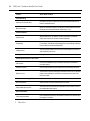
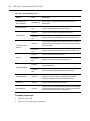
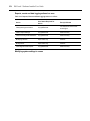
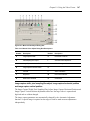
The following fields may be displayed in the Active Sessions window. Use the Customize link
to add or remove fields in the display. See Using the Customize link in windows on page 32.
•
Duration - Length of the DSView 3 software session.
•
User - User who initiated the session, which may be a user, a local port user or a user with
a local user account.
•
Target Device - Name of the target device being used for the session.
•
Type - Session type, which may be KVM, virtual media or serial.
•
Client - IP address of the client computer connected to the session for a non-proxy
connection. For a proxy connection, the IP address of the DSView 3 proxy will appear in
this field.
•
Connection - Connection path from the target device to the managed appliance. See
Connections to Units on page 207.
•
Mode - Session mode, which may change during the session. See Customizing the
Appliance Sessions window on page 195 for a description of the available modes.
•
Owner - Name of the user who launched the session, which may be a user, a local port user
or a user with a local user account.
•
Preemption Level - Effective user preemption level for the user that is connected to the
target device session. See Preemption Levels on page 46.
To remove an active session from the (all) Active Sessions window:
NOTE: Removing an active session from the Active Sessions window does not disconnect the session.
1.
Click the Units tab.
2.
Click Active Sessions in the side navigation bar. The Active Sessions window will open.
3.
Click the checkbox to the left of the session. To remove all active sessions on the page,
click the checkbox to the left of Start-Date-Time at the top of the list.
4.
Click Remove. A confirmation dialog box will appear.
5.
Confirm or cancel the removal.