1
TO
<P=001>
(Continued)
■ Preset tuning
■ How to backup the preset tuning stations
You can store up to 30 stations in memory (30
stations consisting of any combination of FM and AM
stations you like) and recall them at the push of a
button. FM stations can be recalled in either stereo
or mono.
When the backup memory battery is installed, the
contents of the preset tuning can be stored even
when the power is turned off.
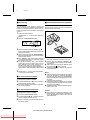
1
Tune to the desired station.
(Perform steps 1 - 3 in the "Tuning" section on
page 8.)
2
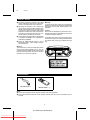
Press the TUNER MEMORY button.
Preset number
3
X W
Within 5 seconds, press the PRESET ( or )
button until the preset number to be programmed
flashes in the display.
4
Within 5 seconds, press the TUNER MEMORY
button to store that station in the selected station
preset number memory.
● If the "MEMORY" and preset number indicators
go out before the station is memorised, repeat
the operation from step 2.
● The preset numbers in step 2 are displayed
starting from the low numbers which have not
been assigned. If the preset numbers are assigned in order, step 3 can also be omitted.
If you want to change the station assigned to a
preset number, select that preset number in step
3.
5
1
2
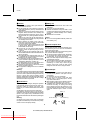
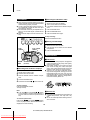
Insert 3 "AA" size batteries (UM/SUM-3, R6,
HP-7 or similar) into the backup memory battery
compartment.
● When inserting or removing the batteries, push
them towards the battery terminals.
● Installing the batteries incorrectly may cause the
unit to malfunction.
ë
Repeat steps 1 - 4 to set other preset stations,
or to change a preset station.
Notes:
● When the backup memory batteries are installed
in the unit, the memory recalls the last station
received even after setting the ON/STAND-BY
switch to STAND-BY or unplugging the unit from
AC power.
It also stores the sound level.
● If the backup memory batteries are not inserted
and the power is disconnected, the tuner’s preset
memories will be erased.
● Replace the backup memory batteries approximately once a year.
■ To recall a memorised station
1
2
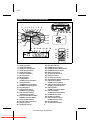
Remove the backup memory battery compartment cover located on the bottom of the unit.
Set the function switch to TUNER.
X W
Press the PRESET ( or ) button to recall the
desired preset channel number.
● If there are no stations memorised, this operation
can not be performed.
■ To clear all memorised stations
1
2
3
Set the function switch to TUNER.
4
Within 5 seconds, press the CLEAR button on
the remote control.
Caution:
● When inserting or replacing the batteries for the
backup memory, connect the AC power lead and
set the ON/STAND-BY switch to ON. This will
extend battery life.
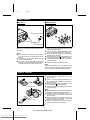
Press the TUNER MEMORY button.
W X
Press the PRESET ( or ) button to select the
channel number you want to erase.
9
QT-CD250H(SUK) TINSE0043SJZZ
Downloaded From Disc-Player.com Sharp Manuals