1
<P=002>
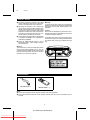
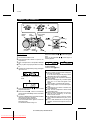
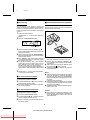
■ Recording from the built-in radio
RECORDING
● When recording important selections, be sure to
make a preliminary test to ensure that the desired
material is being properly recorded.
● The ALC (Automatic Record Level Control) circuit automatically controls the level of the input
signal used for recording.
● The VOLUME control may be adjusted with no
effect on the recorded signal. (Variable Sound
Monitor)
● Metal and CrO2 tapes cannot be used for recording.
1
Set the function switch to TUNER.
● Tune in to the station to be recorded.
2
Load a blank cassette into the cassette compartment.
3
4
5
Press the PAUSE button.
Press the RECORD button.
Press the PAUSE button again.
To stop recording:
Press the STOP/EJECT button.
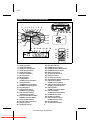
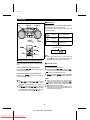
■ Erasing a recorded tape
PLAY / PAUSE
TUNING
STOP
TUNING
1
2
Set the function switch to TAPE.
3
Press the RECORD button.
Load the tape to be erased into the cassette
compartment.
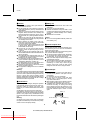
MAINTENANCE
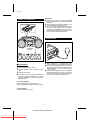
■ Internal care
REPEAT
BAND
● Do not touch the Laser pickup lens. If fingerprints
or dust accumulate on the pickup, clean it gently
with a dry cotton swab.
● Dirty heads, capstan or pinch roller can cause
poor sound and tape jams. Clean these parts
with a cotton swab moistened with commercial
head/pinch roller cleaner or isopropyl alcohol.
● After long use, the deck’s heads and capstan
may become magnetised, causing poor sound.
Demagnetise these parts once every 30 hours
of playing/recording by using a commercial tape
head demagnetiser. Read the demagnetiser’s
instructions carefully before use.
ON/STAND-BY
(Function)
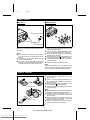
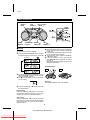
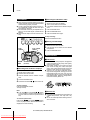
■ Recording from the built-in CD player
1
Set the function switch to CD.
● Load the disc to be recorded.
2
Load the cassette into the cassette compartment.
3
4
Press the RECORD button.
Press the PLAY/PAUSE (0 6) button on the CD.
To stop recording:
Press the STOP/EJECT button.
The tape will stop.
Note:
● If the STOP(■) or PLAY/PAUSE (0 6) button
on the CD player is pressed whilst recording, or
if the CD comes to its end, the tape deck will not
stop.
To record a specific track:
Press the UP (2 / 4) or DOWN (3 / 5) button
on the CD player until the desired track number is
displayed, then start recording.
■ External care
● Periodically wipe the cabinet with a soft cloth and
a diluted soap solution, then wipe with a dry
cloth.
● Do not use chemically treated cleaning cloths or
other chemicals.
10
QT-CD250H(SUK) TINSE0043SJZZ
Downloaded From Disc-Player.com Sharp Manuals