1
iii
Contents
Section 1: Operating the Printer
Chapter 1: Overview . . . . . . . . . . . . . . . . . . . . . . . . . . . . . . . . . . . . . .1-1
About this manual . . . . . . . . . . . . . . . . . . . . . . . . . . . . . . . . . . . .1-2
Audience . . . . . . . . . . . . . . . . . . . . . . . . . . . . . . . . . . . . . . . . . . . .1-2
About the Select printer . . . . . . . . . . . . . . . . . . . . . . . . . . . . . . .1-2
Printer models . . . . . . . . . . . . . . . . . . . . . . . . . . . . . . . . . . . . .1-3
Printer features . . . . . . . . . . . . . . . . . . . . . . . . . . . . . . . . . . . .1-5
Chapter 2: Using the printer . . . . . . . . . . . . . . . . . . . . . . . . . . . . . . .2-1
Tips for success . . . . . . . . . . . . . . . . . . . . . . . . . . . . . . . . . . . . . .2-2
Loading cards . . . . . . . . . . . . . . . . . . . . . . . . . . . . . . . . . . . . . . . .2-3
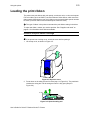
Loading the print ribbon . . . . . . . . . . . . . . . . . . . . . . . . . . . . . . .2-5
Powering on the printer and PC . . . . . . . . . . . . . . . . . . . . . . . . .2-7
Ready button . . . . . . . . . . . . . . . . . . . . . . . . . . . . . . . . . . . . . . . .2-8
Status light . . . . . . . . . . . . . . . . . . . . . . . . . . . . . . . . . . . . . . . .2-9
Making cards . . . . . . . . . . . . . . . . . . . . . . . . . . . . . . . . . . . . . . .2-10
Operating tips . . . . . . . . . . . . . . . . . . . . . . . . . . . . . . . . . . . .2-12
Removing cards . . . . . . . . . . . . . . . . . . . . . . . . . . . . . . . . . . . . .2-12
Responding to messages . . . . . . . . . . . . . . . . . . . . . . . . . . . . .2-13
Shutting down the printer and PC . . . . . . . . . . . . . . . . . . . . . .2-14
Chapter 3: Using the printer driver . . . . . . . . . . . . . . . . . . . . . . . . . .3-1
Working with Properties and other driver dialog boxes . . . . .3-1
Tips for Properties, Printing Preferences, and Default
Document Properties . . . . . . . . . . . . . . . . . . . . . . . . .3-1
Properties for Windows Me & 98 . . . . . . . . . . . . . . . . . . . . . . .3-2
Properties & Printing Preferences for Windows 2000 & XP . .3-4
Properties and Default Document Properties for Windows NT 3-7
Using the Printer Toolbox . . . . . . . . . . . . . . . . . . . . . . . . . . . . . .3-9
Opening and using the Printer Toolbox . . . . . . . . . . . . . . . . .3-11
Viewing Printer Toolbox information . . . . . . . . . . . . . . . . . . .3-12
Chapter 4: Maintaining the printer . . . . . . . . . . . . . . . . . . . . . . . . . .4-1
Running a cleaning cycle . . . . . . . . . . . . . . . . . . . . . . . . . . . . . .4-2
Using the printer cleaning card . . . . . . . . . . . . . . . . . . . . . . . .4-2
Replacing the cleaning roller sleeve . . . . . . . . . . . . . . . . . . . .4-3
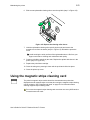
Using the magnetic stripe cleaning card . . . . . . . . . . . . . . . . . .4-5
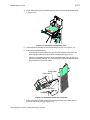
Cleaning the printer rollers . . . . . . . . . . . . . . . . . . . . . . . . . . . . .4-6
Using the duplex cleaning card . . . . . . . . . . . . . . . . . . . . . . . . .4-9
Cleaning tips . . . . . . . . . . . . . . . . . . . . . . . . . . . . . . . . . . . . . . . .4-10
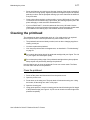
Cleaning the printhead . . . . . . . . . . . . . . . . . . . . . . . . . . . . . . .4-11
Replacing the printhead cartridge . . . . . . . . . . . . . . . . . . . . . .4-12
Chapter 5: Troubleshooting . . . . . . . . . . . . . . . . . . . . . . . . . . . . . . . .5-1
Troubleshooting guide . . . . . . . . . . . . . . . . . . . . . . . . . . . . . . . .5-2
If you think the printer is not working . . . . . . . . . . . . . . . . . . . .5-3
Making and evaluating test cards . . . . . . . . . . . . . . . . . . . . . . . .5-3
User’s Guide for Select™ Platinum™ Series Printers