1
MPLAB® IDE
USER’S GUIDE
Chapter 14. MPLAB IDE Operational Reference
14.1
INTRODUCTION
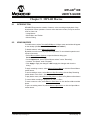
Reference information about the operation of MPLAB IDE is discussed here.
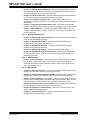
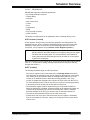
•
•
•
•
14.2
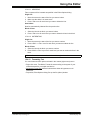
Command-Line Options
Files Used by MPLAB IDE
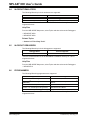
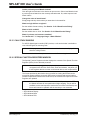
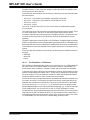
Saved Information
File Locations
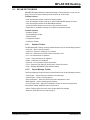
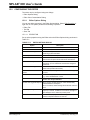
COMMAND-LINE OPTIONS
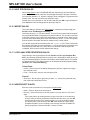
MPLAB IDE can be invoked through the command-line interface as follows:
mplab [file] [/option]
file = workspace.mcw
Open the workspace workspace.mcw in MPLAB IDE. Any projects contained in the
workspace will be opened also.
option = nosplash
Do not display splash screen on program launch
14.3
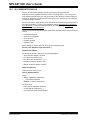
FILES USED BY MPLAB IDE
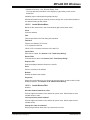
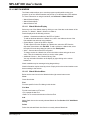
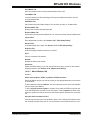
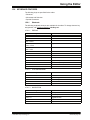
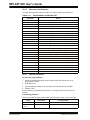
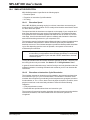
MPLAB IDE generates several files and uses the generated files of its supported tools.
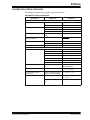
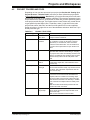
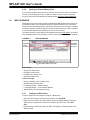
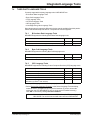
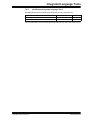
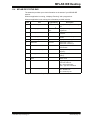
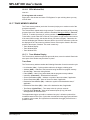
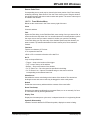
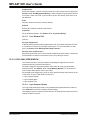
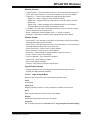
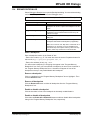
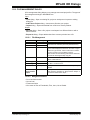
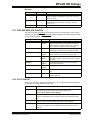
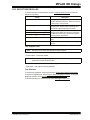
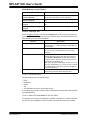
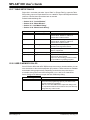
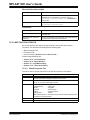
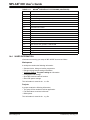
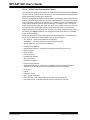
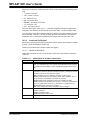
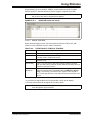
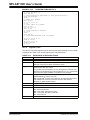
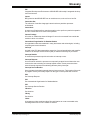
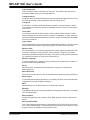
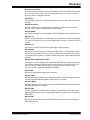
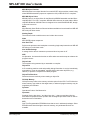
The default extensions of these files are listed in Table 14-1.
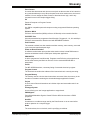
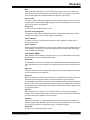
TABLE 14-1:
MPLAB® IDE DEFAULT EXTENSIONS
Extension
Definition
a
Archive (library) file – MPLAB LIB30
asm
Assembly language source file – MPASM™ assembler
c
C source file – MPLAB C18/C30
chm
Compiled HTML Help file
cod
File containing symbolic information and object code – MPASM assembler
cof
File containing symbolic information and object code – MPLINK™ linker
elf
File containing symbolic information and object code – MPLAB LINK30
err
Error file – assembler/compiler
evt
Event file – MPLAB ICE 2000
exe
Program/utility file
fsti
File stimulus file – MPLAB SIM for PIC17 MCUs
gld
Linker script file – MPLAB LINK30
h
C include file – MPLAB C18/C30
hex
Machine code in hex(adecimal) format file
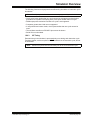
Note: Not all hex files are the same. Depending on how they are generated, one
hex file’s content may differ from another, i.e., a hex file generated from a project
may differ from a hex file generated from a File>Export.
inc
Assembly language include file – MPASM assembler/MPLAB ASM30
© 2006 Microchip Technology Inc.
DS51519B-page 183