1
Tones
You can set different ring tones for your incoming message and incoming
SMS text messages. Additionally you can set separate volume levels for
both types of tones.
To set tones
or
buttons to
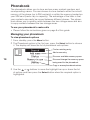
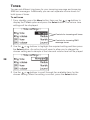
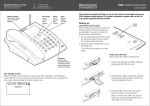
1 From standby, press the Menu button, then use the
display the Tones option and press the Select button. The various tone
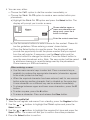
settings will be displayed:
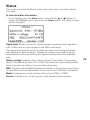
Controls for incoming call tones
Controls for incoming SMS
message tones
or
buttons to highlight the required setting and then press
2 Use the
the Select button. An option box will open to allow you to change the
chosen setting and a sample of the tone and volume level will be played:
28
or
buttons to scroll through the available items for the
3 Use the
chosen setting. When the setting is correct, press the Select button.