1
Using your phone
Switching on
1 Ensure that a valid SIM card is installed and that either:
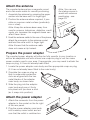
• The power adapter is attached (as discussed in the previous section),
or
• The internal battery has been charged for at least two hours (or
until the display shows ‘charged’) before it is used without mains
connection.
Whenever power is applied, the internal battery will be charged
automatically.
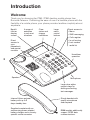
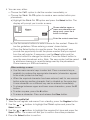
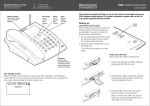
2 On the rear panel, press and hold the
red button for roughly one second, then
release.
• The screen should illuminate and
display an initial message while the
phone prepares itself for operation.
Red
• If the SIM card is configured to use a
power
button
PIN (Personal Identification Number)
code, you will be asked to enter it.
Enter the appropriate four digit code
and press the Select button.
Note: take care when entering a PIN code as three successive incorrect tries will cause the SIM card to be blocked, requiring a special
unblocking code from your service provider.
• If there is no available network service in the vicinity, the display will
show Searching... If this condition continues, try a different location
for the phone or antenna.
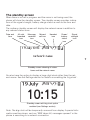
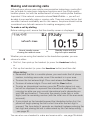
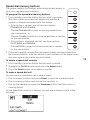
3 The standby screen will be displayed (see opposite).
Switching off
1 Press and hold the red button until the display goes blank.
Notes
During normal use, the phone should only be switched on and off using
the red button. Use the transit switch only after the unit has been turned
off.
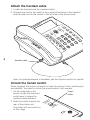
If the transit switch is inadvertently moved to the locked position, the
phone will immediately shut off or enter a charging state if the power
adapter is connected.