1
ASTi Telestra 4 Quick Start Guide (Ver. 1, Rev. E)
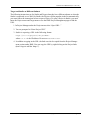
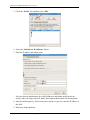
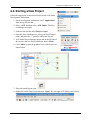
9. Right-click in the window titled ‘Main’ and add SimModel (for example). After selecting
an item, the screen will display ‘Added Successfully.’ Then select ‘cancel’ to close the
window.
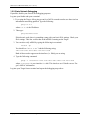
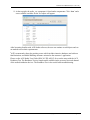
10.Double-click on the Sim Model icon inserted in the previous step. In the External Connections Box, right-click and select ‘Add,’ to pick an item such as Audio > Vox. This will
add the audio_vox component to the model.
Copyright © 2011 Advanced Simulation Technology inc.
15