1
ASTi Telestra 4 Quick Start (Ver. 1, Rev. E)
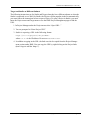
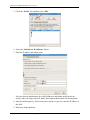
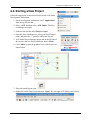
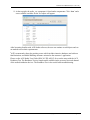
11.At the top right, the audio_vox component is listed under components. Click ‘view’ and a
screen with the variables for the Vox object will appear.
After becoming familiar with ACE Studio software, the user can continue to add objects and create models to meet their requirements1.
1ASTi
recommends a three-day training course which includes intensive hardware and software
familiarization, and Model Building assistance oriented to the customer’s application.
Please see the ACE Studio User Guide (DOC-01-TELAS-UG-4) to test the setup with the ACE
Readiness Test. The Readiness Test is a simple model available on the system to test each channel
of the audio distribution devices. The Readiness Test is also useful when troubleshooting.
16
Copyright © 2011 Advanced Simulation Technology inc.