1
110
Using a Directory Service with ID Works Projects
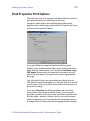
access the Edit Project Properties dialog box, from the menu bar,
select File and then Project Properties.) See the online help topic,
“Connect to a directory service” for step-by-step instructions.
Directory Service Login
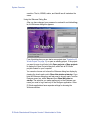
Connections to the directory service require a login to authenticate
the user. You connect to the directory service when you use the Field
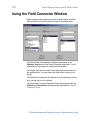
Connections window or the Directory Service tab of the Edit Project
Properties dialog box in ID Works Designer. In ID Works Production,
Reporting, and View, you connect to the directory service when you
open a project that has connections to a directory service.
If you select Save Login Settings in Project, you can store a
complete username and password with the ID Works project to
relieve the Production operator of the need to log in to the directory
service as a separate step. If you also select Always Prompt for
Login, you can supply partial login information that is completed by
the Production user. Login information you store with the ID Works
project is not encrypted.
Data Types
ID Works supports directory service text and binary data types.
You can connect Production Form text-based fields to directory
service text attributes. Production Form text-based fields are text and
list fields as well as photo, signature, or binary fields using a path
storage option.
You can connect Production Form photo, signature, or binary fields
using the database storage option to directory service binary
attributes.
Project Design Considerations
Consider the following limitations when designing a project connected
to a directory service:
•
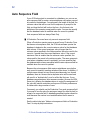
Production Form Auto Sequence and Print Count fields cannot be
used.
ID Works Standard and Enterprise Version 5 Administrator’s Guide