1
Plan and Create the Report Design
77
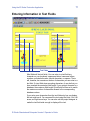
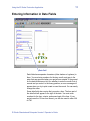
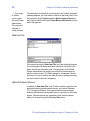
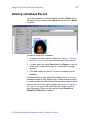
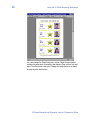
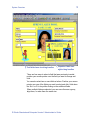
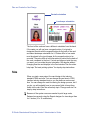
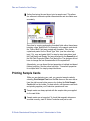
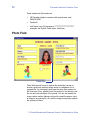
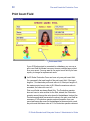
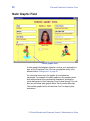
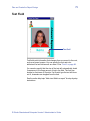
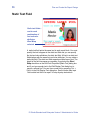
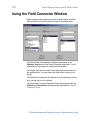
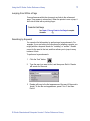
You can work in the report window in Field Names view or in Sample
Data view. The illustration above uses Sample Data view.
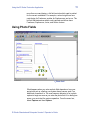
If you are working in Field Names view and rotate a report block field,
the field name does not rotate with the field. Field names are always
displayed horizontally and are contained in a box with a white
background.
To open a report window, either create a new report or open a report
that already exists in your project. See the online help topics “Create
a report design” and “Open an existing report design”.
Report Properties
You use the Edit Report Design Properties dialog to name your
report, specify the layout of the report block, and define the header
and footer for the report. See the online help topic “Access the Edit
Report Design Properties dialog box”.
Report Block Layout
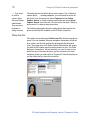
When you insert a new report, the report block measures 6.5 inches
wide by 2.25 inches high (16.5 cm wide by 5.7 cm high). You can
change the size of the report block on the Block Layout tab of the
Edit Report Design Properties dialog. You can also specify whether
the report block has a border, how thick the border is, and what color
it is. See the online help topic “Change the block layout for a report
design” for step-by-step instructions. When you print a report, the ID
Works Reporting application will place as many report blocks as
possible on the page.
Header and Footer
You can specify a header to print at the top of each page of your
report, a footer to print at the bottom of each page, or both. Headers
and footers can contain one line of text, one graphic, or both. Text can
be information that you type as well as information the system
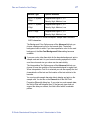
determines: page number, the total number of pages in the report, the
date and time the report was printed, the name of the stored search
used to create the report, and the ID Works user name of the person
who printed the report. You can also specify the alignment for the
header or footer information and the type font, style, size, and color
ID Works Standard and Enterprise Version 5 Administrator’s Guide