1
Compuprint PageMaster 450 User Guide
Chapter 1 Unpacking and Installing Your Printer
iii
How This Manual is Organized
This manual consists of 7 chapters and 5 appendices as follows:
Chapter 1 Unpacking and Installing Your Printer
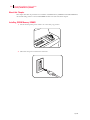
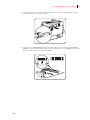
Describes a suitable location for your laser printer and how to unpack and install it. Be sure to read this chapter before setting up the printer..
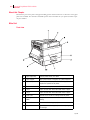
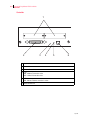
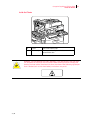
Chapter 2 Printer and Options Parts and Functions
Describes the parts of the printer and paper handling options and their functions. A discussion of the paper
path is also included. Also describes all available options and consumables for your printer and their respective part numbers.
Chapter 3 Understanding Paper, Paper Paths, Paper Delivery and Paper Loading
Provides information on paper qualities, paper size requirements, paper paths, paper output delivery and
loading of paper in your printer and options.
Chapter 4 Understanding and Navigating the Control Panel Menus
This chapter explains the control panel and its functions, and also demonstrates how to navigate through the
control panel menus and submenus that allow you to view and change the printer settings.
Chapter 5 Printer Consumables, Cleaning and Maintenance
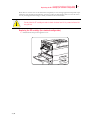
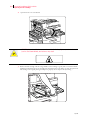
Describes how to handle and replace the EP cartridge, replacement of transfer and feed rollers and performance of other steps as necessary for day-to-day operation of your printer..
Chapter 6 Troubleshooting
Explains procedures to isolate and solve problems that may occur during use of your printer. Clearing paper
jams and detailed troubleshooting of LCD error messages are discussed in this chapter. Troubleshooting the
Ethernet network interface is also discussed in this chapter.
Chapter 7 Using DRAM DIMMs, FLASH DIMMs and Power-on Files
This chapter describes the procedures for installation of DRAM memory DIMMs and FLASH DIMM modules. Downloading software to the FLASH DIMM module is also discussed in this chapter.
Appendix A General Information
Provides information on how to contact Compuprint for technical support, service and repair issues, and
also provides part numbers for the printer, options, and consumables.
Appendix B Safety Notes and Regulatory Compliances
Describes cautions to take when installing, transporting, or operating the printer. Also includes applicable
regulatory compliances of your printer.
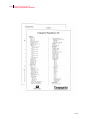
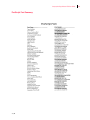
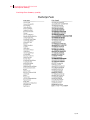
Appendix C Printing Font Summaries
This appendix explains the procedure for printing summaries of PCL or PostScript fonts installed in your
printer..
Sep 01