1
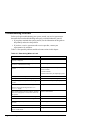
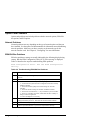
Storage Problems
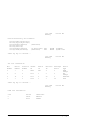
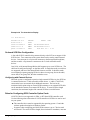
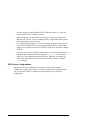
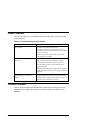
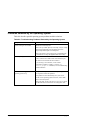
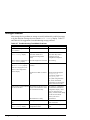
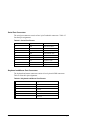
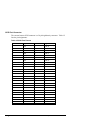
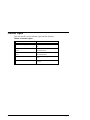
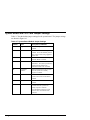
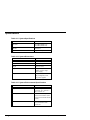
Mass storage device problems at startup are usually indicated by read fail messages
or by the omission of storage devices from the show config display. Table 8-7
and Table 8-8 list suggestions for troubleshooting storage problems.
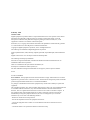
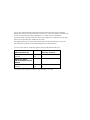
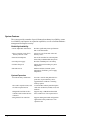
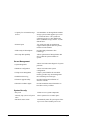
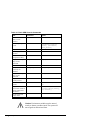
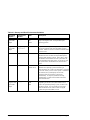
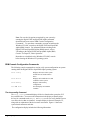
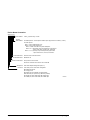
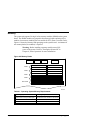
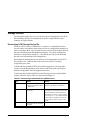
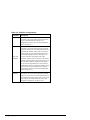
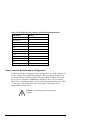
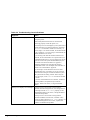
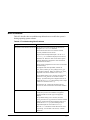
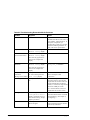
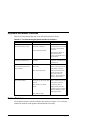
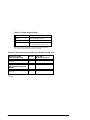
Table 8-7 Troubleshooting Fixed-Media Problems
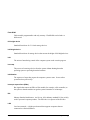
Symptom
Problem
Action
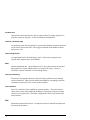
Fault indicator light for drive
is on (amber).
Drive has failed.
Replace drive.
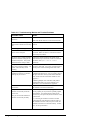
Drives are missing from the
show config display.
Duplicate SCSI IDs (when
removable-media bus is
extended to StorageWorks
shelf).
Correct removable-media SCSI
device IDs. May need to
reconfigure internal
StorageWorks backplane.
Drives appear intermittently in SCSI bus length limit exceeded. Check cabling.
show config display.
Valid drives are missing from
the show config display.
One drive may appear seven
times on the configuration
screen display.
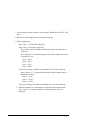
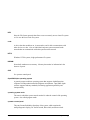
SCSI ID is set to 7 (reserved for Correct SCSI IDs.
host ID).
Duplicate host IDS on a shared
bus.
Change host ID through the
pk*0_host_id
environment variable (set
pk*0_host_id).
For systems using Windows
NT, choose "Set default
configuration" from the Setup
menu to select the host ID.
You cannot access the software The SCSI ID of the drive is not
or data on the drive.
unique or the SCSI drive cables
are connected incorrectly.
The SCSI drive is faulty.
See Chapter 6, "Configuring"
for information SCSI device
configuration display. If the
device is not listed in the
display, check the SCSI cabling
and the drive's SCSI ID.
Contact your service
representative.
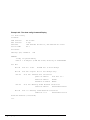
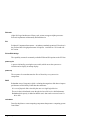
Activity indicators do not come Missing or loose cables.
on.
Remove device and inspect
cable connections.
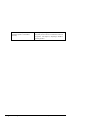
Drive is missing from the
show config display.
Reseat drive on StorageWorks
shelf.
8-12 • Troubleshooting
Drive is not properly seated on
StorageWorks shelf.
AlphaServer 1000A Owner's Guide