1
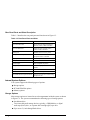
Front Panel Controls and Indicators
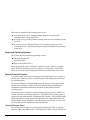
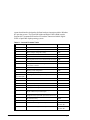
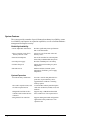
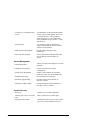
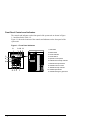
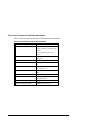
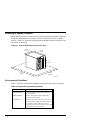
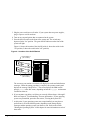
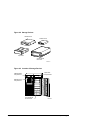
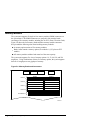
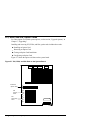
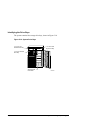
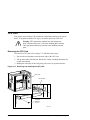
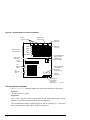
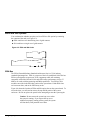
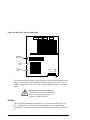
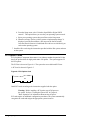
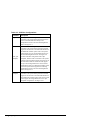
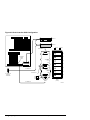
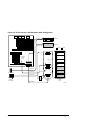
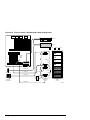
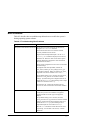
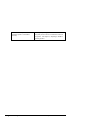
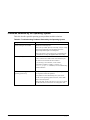
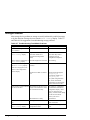
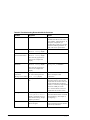
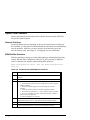
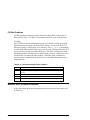
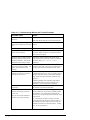
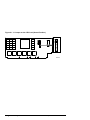
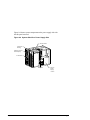
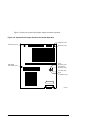
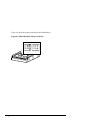
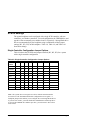
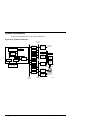
The controls and indicators on the front panel of the system unit are shown in Figure
1-1 and described in Table 1-2.
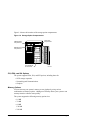
Figure 1-1 shows the locations of the controls and indicators on the front panel of the
system unit.
Figure 1-1 Front Panel Indicators
8
9 10 11
1 Halt switch
2 Reset switch
3 On/Off indicator
7
4 On/Off switch
6
5 Operator control panel
6 Diskette drive activity indicator
5
7 Diskette drive eject button
8 CDROM volume control
9 CDROM activity indicator
4 3 2
10 CDROM eject button
1
MA00904
1-6 • Overview
11 CDROM emergency eject hole
AlphaServer 1000A Owner's Guide