1
Trend Micro™ OfficeScan™ 10 Administrator’s Guide
Migrating to the OfficeScan Client
Migrate endpoint security software installed on a target computer to the OfficeScan
client.
Migrating from Other Endpoint Security Software
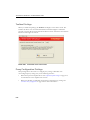
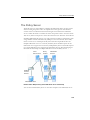
When you install the OfficeScan client, the installation program checks for any Trend
Micro or third-party endpoint security software installed on the target computer. The
installation program can automatically uninstall the software and replace it with the
OfficeScan client.
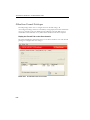
For a list of endpoint security software that OfficeScan automatically uninstalls, open
the following files in <Server installation folder>\PCCSRV\Admin. Open these files
using a text editor such as Notepad.
•
tmuninst.ptn
•
tmuninst_as.ptn
If the software on the target computer is not included in the list, manually uninstall it
first. Depending on the uninstallation process of the software, the computer may or may
not need to restart after uninstallation.
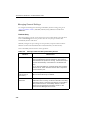
Client Migration Issues
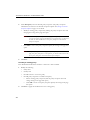
• If automatic client migration is successful but a user encounters problems with the
OfficeScan client right after installation, restart the computer.
•
3-44
If the OfficeScan installation program proceeded to install the OfficeScan client but
was unable to uninstall the other security software, there will be conflicts between
the two software. Uninstall both software, and then install the OfficeScan client
using any of the installation methods discussed in Installation Methods on page 3-11.