1
Installing the OfficeScan Client
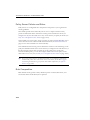
Configuring Other Vulnerability Scanner Settings
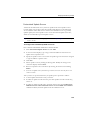
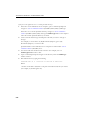
Some Vulnerability Scanner settings can be configured only from the TMVS.ini file.
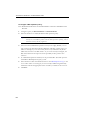
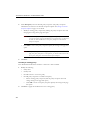
To modify settings on the TMVS.ini file:
1.
Navigate to <Server installation folder>\PCCSRV\Admin\Utility\TMVS and
open TMVS.ini. using a text editor such as Notepad.
2.
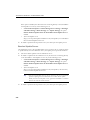
To set the number of computers that Vulnerability Scanner simultaneously pings,
change the value for EchoNum. Specify a value between 1 and 64.
For example, type EchoNum=60 if you want Vulnerability Scanner to ping 60
computers at the same time.
3.
To set the number of computers that Vulnerability Scanner simultaneously checks
for antivirus software, change the value for ThreadNumManual. Specify a value
between 8 and 64.
For example, type ThreadNumManual=60 if you want Vulnerability Scanner to
check 60 computers for antivirus software at the same time.
4.
To set the number of computers that Vulnerability Scanner simultaneously checks
for antivirus software when running scheduled tasks, change the value for
ThreadNumSchedule. Specify a value between 8 and 64.
For example, type ThreadNumSchedule=60 if you want Vulnerability Scanner to
check 60 computers for antivirus software at the same time whenever it runs a
scheduled task.
5.
Save TMVS.ini.
Note:
See Server Debug Log Using LogServer.exe on page 12-3 for information on how to
collect debug logs for Vulnerability Scanner.
3-43