1
Trend Micro™ OfficeScan™ 10 Administrator’s Guide
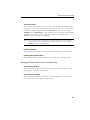
For remote desktop installation using AutoPcc.exe:
•
The computer must be run in Mstsc.exe /console mode. This forces the
AutoPcc.exe installation to run in session 0.
•
Map a drive to the "ofcscan" folder and execute AutoPcc.exe from that point.
Program and Component Updates
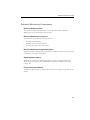
AutoPcc.exe updates the program files and the antivirus, anti-spyware, and Damage
Cleanup Services components.
The Windows 2000/Server 2003/2008 Scripts
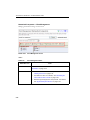
If you already have an existing login script, Login Script Setup appends a command that
executes AutoPcc.exe. Otherwise, OfficeScan creates a batch file called ofcscan.bat that
contains the command to run AutoPcc.exe.
Login Script Setup appends the following at the end of the script:
\\<Server_name>\ofcscan\autopcc
Where:
•
<Server_name> is the computer name or IP address of the OfficeScan server
computer
•
"ofcscan" is the OfficeScan directory on the server
•
"autopcc" is the link to the autopcc executable file that installs the OfficeScan client
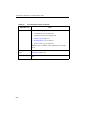
Login script location (through a net logon shared directory):
3-16
•
Windows 2000 server: \\Windows 2000 server\system
drive\WINNT\SYSVOL\domain\scripts\ofcscan.bat
•
Windows Server 2003: \\Windows 2003 server\system
drive\windir\sysvol\domain\scripts\ofcscan.bat
•
Windows Server 2008: \\Windows 2008 server\system
drive\windir\sysvol\domain\scripts\ofcscan.bat