1
Chapter 3
Provisioning PXM1E Communication Links
General PXM1E Configuration Procedures
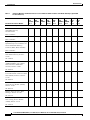
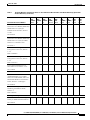
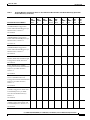
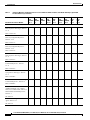
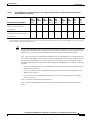
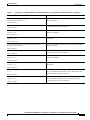
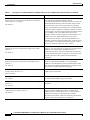
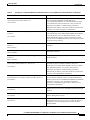
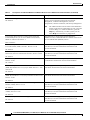
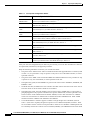
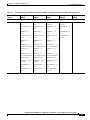
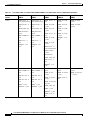
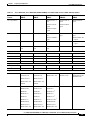
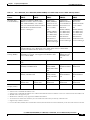
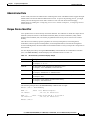
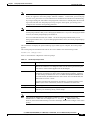
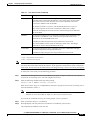
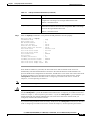
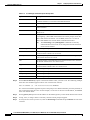
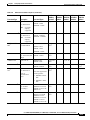
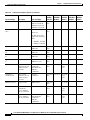
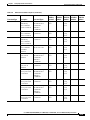
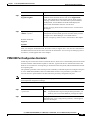
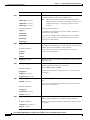
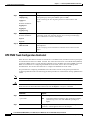
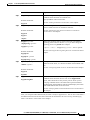
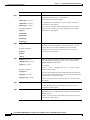
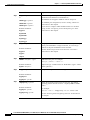
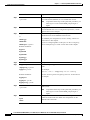
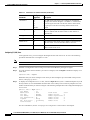
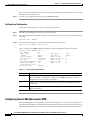
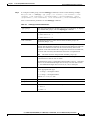
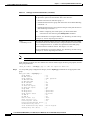
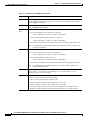
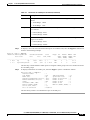
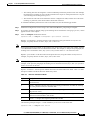
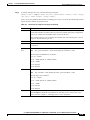
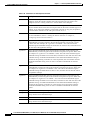
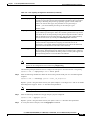
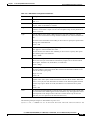
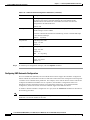
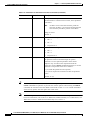
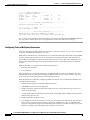
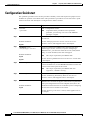
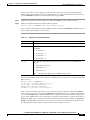
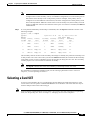
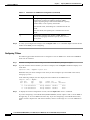
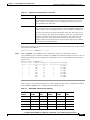
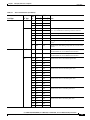
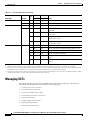
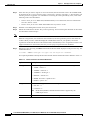
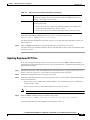
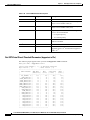
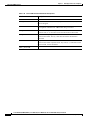
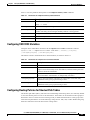
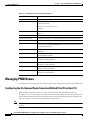
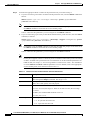
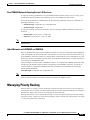
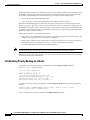
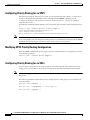
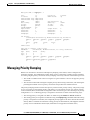
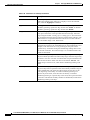
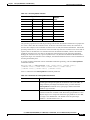
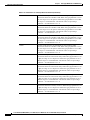
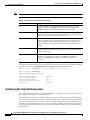
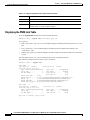
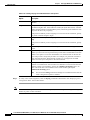
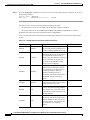
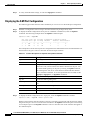
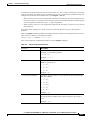
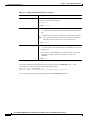
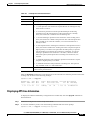
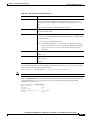
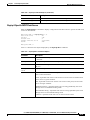
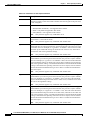
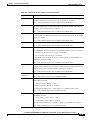
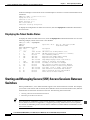
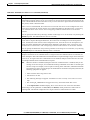
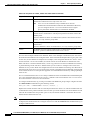
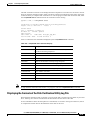
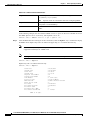
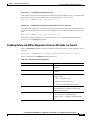
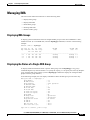
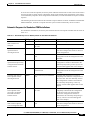
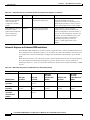
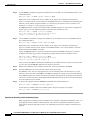
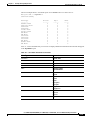
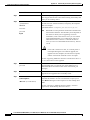
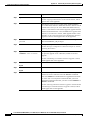
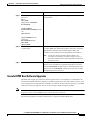
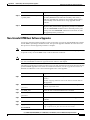
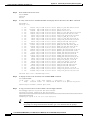
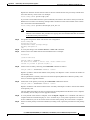
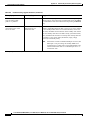
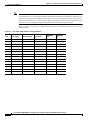
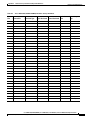
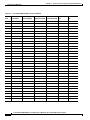
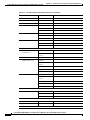
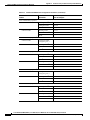
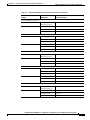
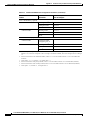
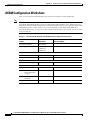
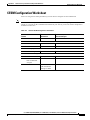
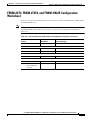
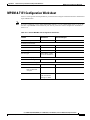
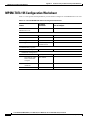
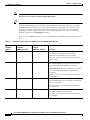
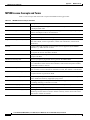
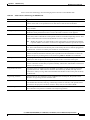
Table 3-2
Parameters for cnfln Command (continued)
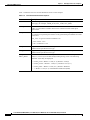
Line Types
Supported
Description
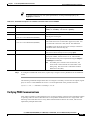
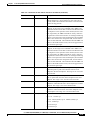
clockSource
T1
E1
T3
E3
SONET
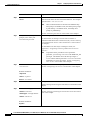
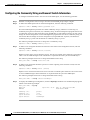
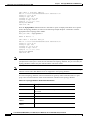
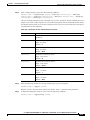
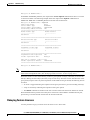
The -clk option selects the source timing for transmitting
messages over the line. Replace <clockSource> with 1 to use
the clock signal received over this line from a remote node,
or specify 2 to use the local timing defined for the local
switch.
LineLength
T1
T3
The -len option specifies the length of a line from the local
node to a remote node in meters. Enter a value from 0 to
64000 meters.
LineType
SONET
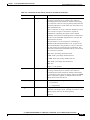
Enter -slt 1 for SONET or -slt 2 for SDH.
LineType
T3
Enter -lt 1 for ds3cbitadm or -lt 2 for ds3cbitplcp.
OOFCriteria
T3
Out of Frame (OOF) alarm criteria. Replace <OOFCriteria>
with 1 to select 3 out of 8 and 2 to select 3 out of 16.
RcvFEACValidation
T3
Replace <RcvFEACValidation> with 1 to select 4 out of 5
and 2 to select 8 out of 10.
Parameter
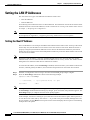
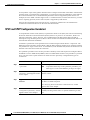
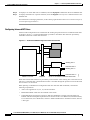
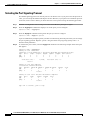
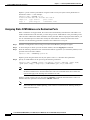
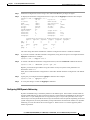
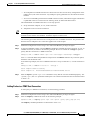
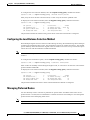
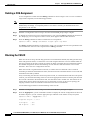
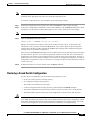
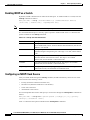
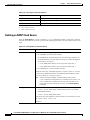
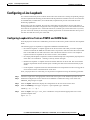
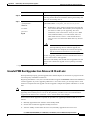
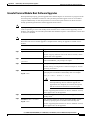
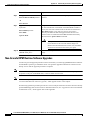
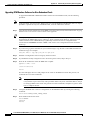
Configuring T1 (DS1) Lines
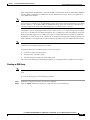
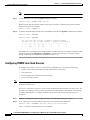
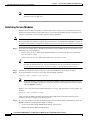
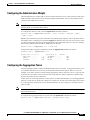
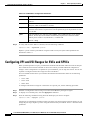
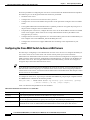
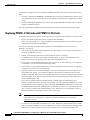
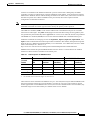
At the physical level, you can configure the length and the clock source for T1 lines. The following
procedure describes how to configure T1 lines.
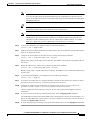
Note
T1 lines are also called DS1 lines in the CLI.
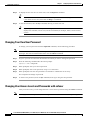
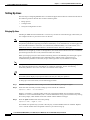
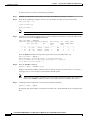
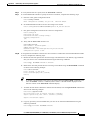
Step 1
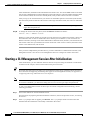
Establish a configuration session using a user name with GROUP1 privileges or higher.
Step 2
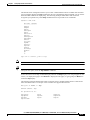
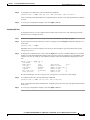
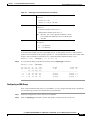
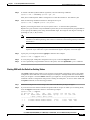
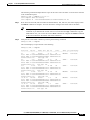
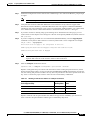
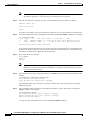
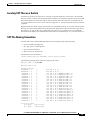
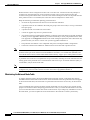
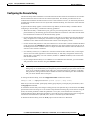
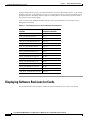
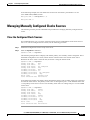
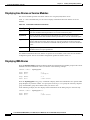
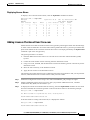
If you do not know the line number you want to configure, enter the dsplns command to display a list
of the lines:
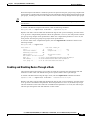
mgx8830b.2.PXM.a > dsplns
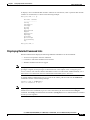
Remember that you cannot configure a line until you have brought it up as described in the previous
section, “Bringing Up Lines.”
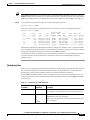
Step 3
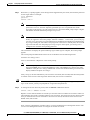
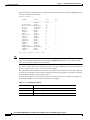
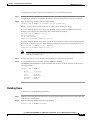
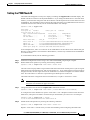
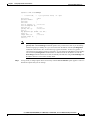
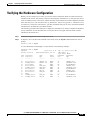
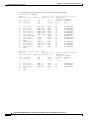
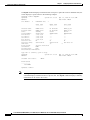
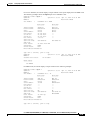
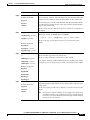
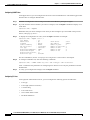
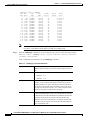
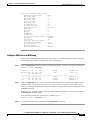
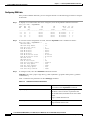
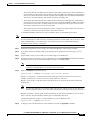
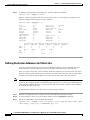
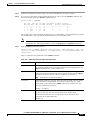
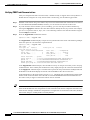
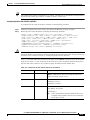
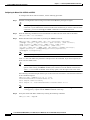
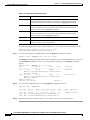
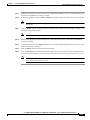
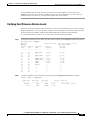
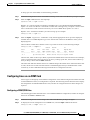
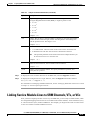
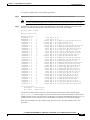
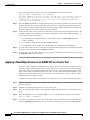
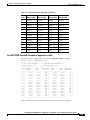
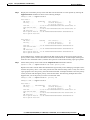
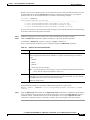
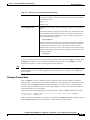
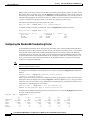
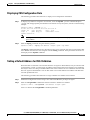
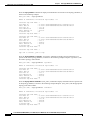
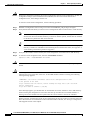
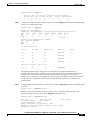
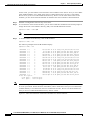
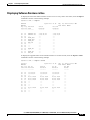
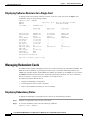
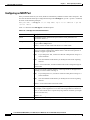
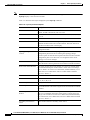
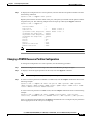
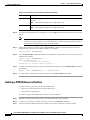
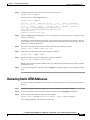
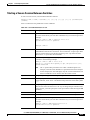
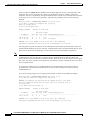
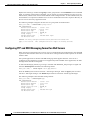
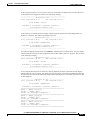
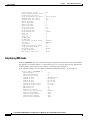
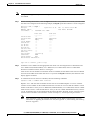
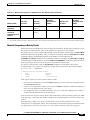
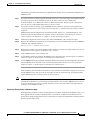
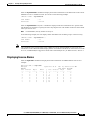
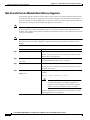
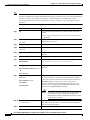
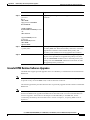
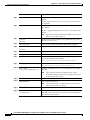
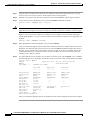
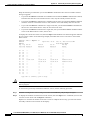
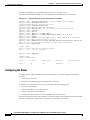
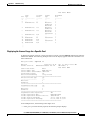
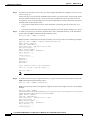
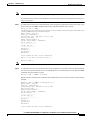
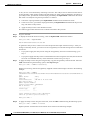
To display the configuration for a T1 line, enter the dspln -ds1 <bay.line> command. Replace bay with
the bay number 2, since the PXM1E interface back card is always in the lower bay. Replace line with
number of the interface you want to configure. The following example shows the configuration displayed
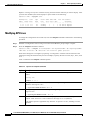
for a T1 line:
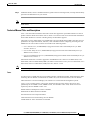
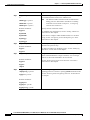
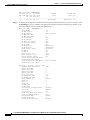
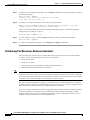
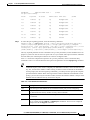
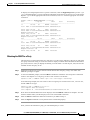
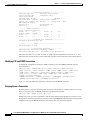
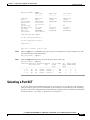
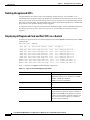
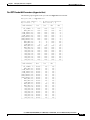
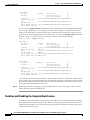
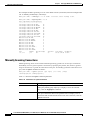
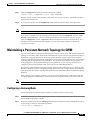
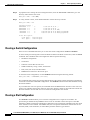
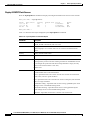
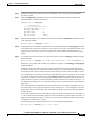
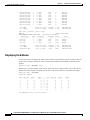
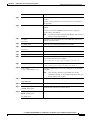
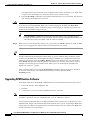
pxm1e58.1.PXM.a > dspln
Line Number
:
Admin Status
:
Line Type
:
Line Coding
:
Line Length(meters) :
Loopback
:
Xmt. Clock source
:
Valid Intervals
:
-ds1 2.1
2.1
Down
dsx1ESF
dsx1B8ZS
40
NoLoop
localTiming
0
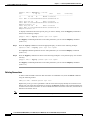
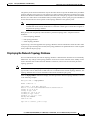
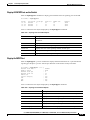
Alarm Status
:
Number of ports
:
Number of partitions:
Number of SPVC
:
Number of SPVP
:
Number of SVC
:
Clear
0
0
0
0
0
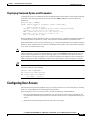
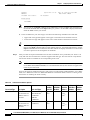
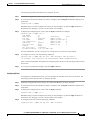
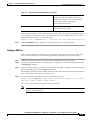
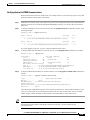
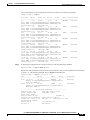
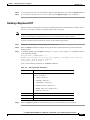
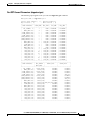
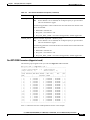
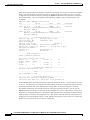
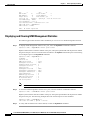
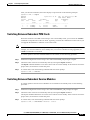
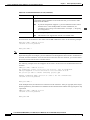
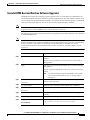
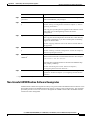
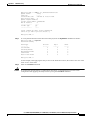
For more information, see the “Verifying Line Configuration” section later in this chapter.
3-24
Cisco MGX 8850 (PXM1E/PXM45), Cisco MGX 8950, Cisco MGX 8830, and Cisco MGX 8880 Configuration Guide
Release 5.0.10, OL-3845-01 Rev. B0, August 16, 2004