Download Cabletron Systems MT8 Specifications
Transcript
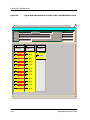
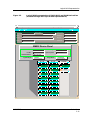
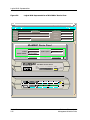
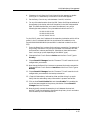
Port Source Address View Port Source Address View The Port Source Address View is available from the IRBM, IRM2, IRM3, and MiniMMAC Device Views. This view allows you to display the Source Address information for the port. To open the Port Source Address View, follow these steps: 1. Click on the port icon with the right mouse button to display the port Icon Subviews menu. 2. Select Port Source Address View from the this menu. You can also display the Port Source Address View as follows: 1. Click on the port icon to highlight it. 2. Select Icon Subviews from the View menu. 3. Select Port Source Address View from the Icon Subviews menu. The Port Source Address View displays the following information: Name The user-defined or default name for the hub. Network Address The IP address of the hub. Device Type The SPECTRUM model type name of the hub. Slot/Port Number The slot number and the port number in this format: 1.1 (Slot number 1, Port number 1). Source Address Table The list of Source Addresses for the port. The print button allows you to print out a copy of the table to a printer or a file. Cabletron Hub LEDs This section describes the LEDs available on Cabletron Systems intelligent modules for the MMAC hub chassis types and the LEDs available on the front panel of the MRXI and MiniMMAC. You can see these LEDs in the Physical Representation of the Device View. For more specific information on LEDs, refer to the corresponding Cabletron hardware installation manual. Device Views 2-18 Cabletron Ethernet Hubs Management Module Guide