1
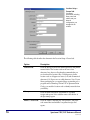
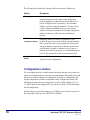
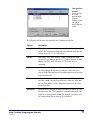
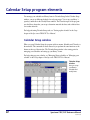
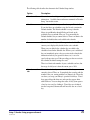
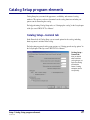
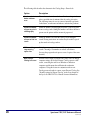
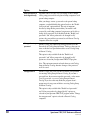
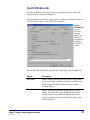
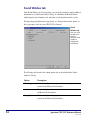
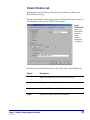
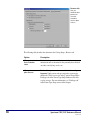
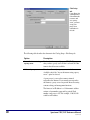
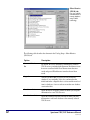
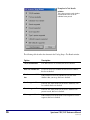
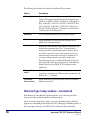
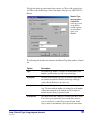
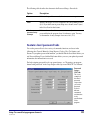
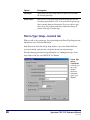
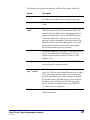
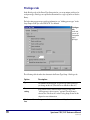
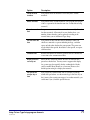
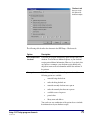
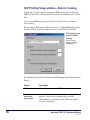
The following table describes the elements in the Catalog Setup—General tab.
28
Option
Description
Number of minutes
before windows
reset
Clears the search window and closes all other catalog windows
after a specified time (in minutes) that the catalog is inactive.
The following items are reset or removed: material type limits,
locked items, search terms and indexes, and window positions.
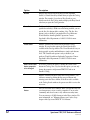
Maximum number
of items to print in
a bibliography
Limits the number of bibliography materials a patron can print
from a catalog search. Setting this number can reduce the time a
patron uses the printer and the amount of paper used.
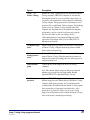
Maximum number
of items to find in a
search
Limits the number of records the catalog locates through a
search. Placing restrictions on searches may be useful to speed
up the results of catalog searches.
While searching,
stop counting
copies after
Limits how many copies of a material the program counts in a
search. Choosing a low number can reduce search times
(because the program doesn't process several copies of the same
material).
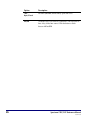
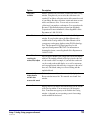
Open Patrons’
Catalog full-screen
Provides extra security so patrons can’t easily access or change
computer settings. If selected, Patrons' Catalog opens in a fullscreen, concealing the task bar on Windows workstation
computers and the menu bar on Macintosh workstation
computers. Using this feature in conjunction with an exit
Catalog password results in a more secure Patrons' Catalog. See
"Security options for Patrons' Catalog" in the Setup chapter of
the Spectrum CIRC/CAT User Manual for more information.
Spectrum CIRC/CAT Reference Manual
SCC5rm1200tb