1
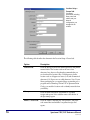
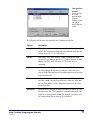
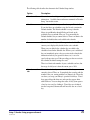
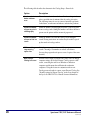
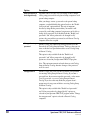
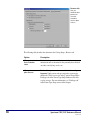
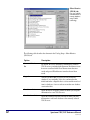
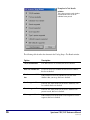
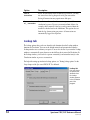
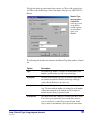
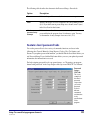
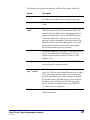
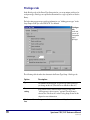
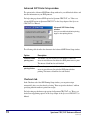
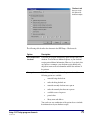
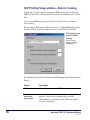
The following table describes the elements in the Location Setup—Numbers tab.
Option
Description
Formatting
Determines whether you want to remove leading zeros from
material and patron barcodes imported into the Spectrum
program. Sagebrush recommends removing leading zeros if
you use 14-digit barcodes in your library. Also determines
whether to exclude 9-digit patron numbers. You may want to
exclude 9-digit patron numbers if you use social security
numbers for your patron numbers. By excluding 9-digit patron
numbers, leading zeros will not be removed from these
barcodes.
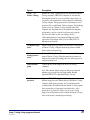
Partition material
and patron numbers
Determines whether you want to set partitions for your
program. If ranges are set up, the material and patron numbers
don’t overlap. If you don't set up a partition for your material
and patron numbers, your barcodes could mix together, and it
would be hard to decipher if a number was for a patron or a
material. If you don't set up ranges, we recommend placing the
letter "P" (for patron) before each of your patron barcodes.
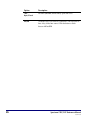
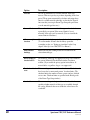
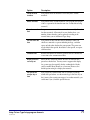
Configurations
button
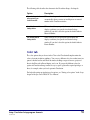
Opens the Configurations window where you can add, edit,
and delete barcode configurations.
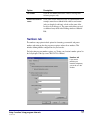
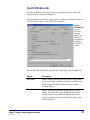
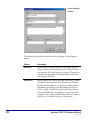
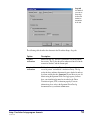
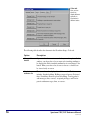
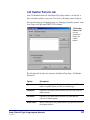
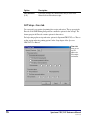
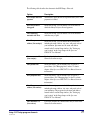
Configurations window
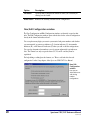
You can configure barcodes to include material and patron indicators, the location code,
and the actual number indicators for material or patron numbers. The length, format, and
indicators are defined by the barcode configuration. You add new configurations, edit
existing configurations, and delete configurations in the Configurations window. The
Configurations window has four configurations set up by default, including a 10-, 11-,
13-, and 14-digit barcode configuration. Very rarely do you need to add or edit existing
barcode configurations.
For help setting up your barcode formats, see "Configuring your location's barcodes" in
the Setup chapter of the Spectrum CIRC/CAT User Manual.
18
Spectrum CIRC/CAT Reference Manual
SCC5rm1200tb