1
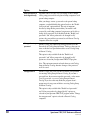
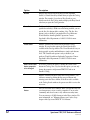
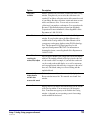
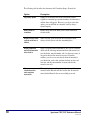
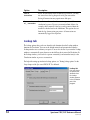
Error message
Description
Solution
Invalid host
address
Address given for
the server is not a
proper internet
address.
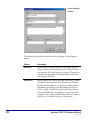
Open the Server Properties window in
Catalog Setup and make sure the address
you listed for the server is correct (see
"Managing Z39.50 servers" in the Setup
chapter of the Spectrum CIRC/CAT User
Manual). If the address listed in the Server
Properties window is correct, contact the
remote library and verify you have the
correct address. Valid server addresses are
either an IP address or a URL.
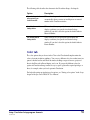
Host closed
connection
(could also say
"Z-association
not accepted by
the host" or "Zassociation
terminated")
Host has refused the
connection, possibly
because a password
is required and/or
the password
entered is incorrect.
You may get these
messages in a
Z39.50 defined
message.
Open the Server Properties window in
Catalog Setup and make sure you have
entered the correct password (see
"Managing Z39.50 servers" in the Setup
chapter of the Spectrum CIRC/CAT User
Manual). If you didn't enter a password and
one is required or you entered the wrong
password, contact the remote library for the
correct password.
If all else fails…
If you still can't resolve the problem:
1 Document what you were trying to do, the error message, and
what you tried to do to resolve it.
2 Contact Sagebrush Technical Support.
48
Spectrum CIRC/CAT Reference Manual
SCC5rm1200tb