1
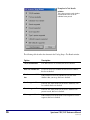
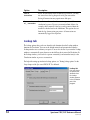
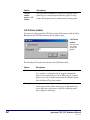
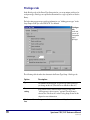
Option
Description
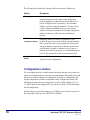
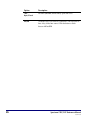
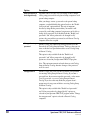
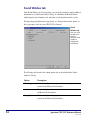
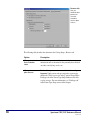
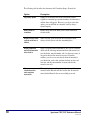
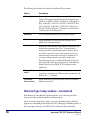
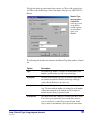
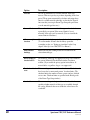
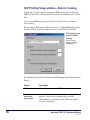
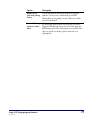
Type 1 queries
supported box
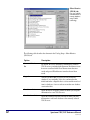
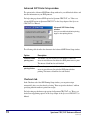
If the tested Z39.50 server indicates that it can handle Type1 queries (which are the only type of queries Spectrum
Z39.50 Client supports), this box is checked.
USMARC requests
supported box
If the tested Z39.50 server indicates that it can handle
USMARC present responses (which are the only type
Spectrum Z39.50 Client supports), this box is checked.
BIB1 attributes
supported box
If the tested Z39.50 server indicates that it can handle Bib-1
search attributes (which are the only attributes Spectrum
Z39.50 Client supports), this box is checked.
View Messages button
When clicked, this button opens the Search Log window,
which displays any messages that are communicated
between Z39.50 servers and clients.
* This item has no impact on the success or failure of a test for either a server or database.
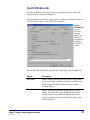
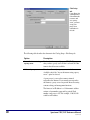
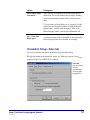
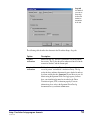
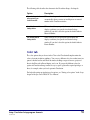
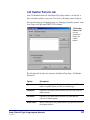
Search Log window
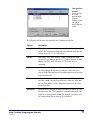
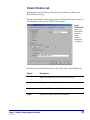
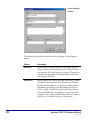
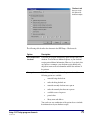
The Search Log window tracks any messages that are communicated between Z39.50
servers and clients. You can view this log in the Other Libraries tab in Catalog and
Catalog Setup. This window opens automatically after you test all Z39.50 servers in the
Other Libraries tab in Catalog Setup or when you click the View Messages button in the
Test Results window after you test an individual server.
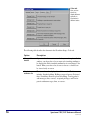
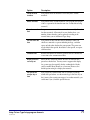
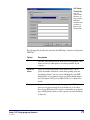
The Host column indicates which Z39.50 server generated the message, and the Message
column displays the contents of the message.
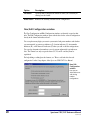
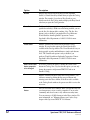
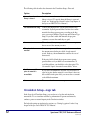
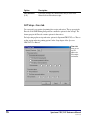
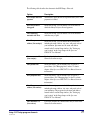
The following table describes common error messages that may be listed in the Search
Log window, along with possible solutions to help resolve the problems.
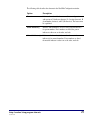
Error message
Description
Solution
Connection to
host failed
This is received
when the server is
not responding
properly. Either it is
down, it does not
exist, or it is not a
Z39.50 site.
Test the server in Catalog Setup (see
"Managing Z39.50 servers" in the Setup
chapter of the Spectrum CIRC/CAT User
Manual). Make sure the information that is
listed in the Other Libraries tab in Catalog
Setup is correct. If that doesn't work, wait a
few hours, and try to test the server again.
Setup: Catalog Setup program elements
SCC5um1200tb
47