1
Data-Link Modem
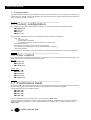
3. Configurations
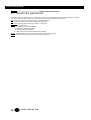
This chapter describes commonly used configurations through the AT command set: These commands may be used as part of
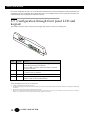
software drivers for example. The same configuration can be achieved through the LCD and keypad front panel. Refer to the
LCD menu diagram provided in chapter 2.5.
3.1 Factory configuration
This configuration applies when the modem is first powered on, or after complete reset by the following commands:
AT&W255 <CR>
Answer : OK
ATZ <CR>
Answer : OK
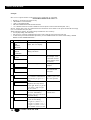
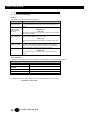
This configuration is designed for most common applications and has the following characteristics:
DTE - V24:
Normal CD, DTR,
DSR activated on handshake,
CTS controlled by DTR in command mode and RTS in on line mode.
Automatic answer S0 = 2
Automatic hunt: V34, V32bis, V32, V22bis, V21 and V23 modes
Error correction and data compression: V42bis and MNP automatic mode (S0?)
Flow control: RTS/CTS
This configuration can be modified for a specific application. The following examples describe the most common applications.
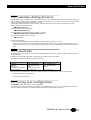
3.2 Flow control
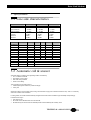
Flow control can either be performed physically using the RTS/CTS signals or via software using the Xon/Xoff protocol. The
following table shows how to activate each form of flow control.
Xon - Xoff:
AT*LG1 <CR>
AT*LR1 <CR>
or AT&K4 <CR>
Or RTS - CTS:
AT%C1 <CR>
AT&R1 <CR>
AT*LG2 <CR>
AT*LR2 <CR>
or AT&K3 <CR>
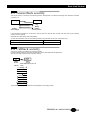
3.3 Synchronous mode
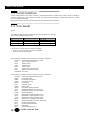
Synchronous mode is when the DTE provides a clock to which the data being transmitted or received must be synchronized. It
provides a more efficient means of data transmissions as longer pockets of data can be strung together.
The following table shows how to enable this feature.
AT*M0 <CR>
AT&M1 <CR>
AT&X1 <CR>
AT@V0 <CR>
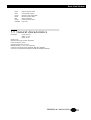
If the synchronization clock is provided by the DTE, send the command: AT&X1 <CR>
If the DTE transmits a continuous flow of data it is recommended to disable the COMMAND mode of the modem, to prevent
escape characters from appearing in the course of data transmission or constant polling. To do this, send the command:
AT@V0 <CR>
16
SALES: 0118 965 5100