1
unicode. There is more than one form of unicode and unfortunately there is no guaranteed way to
automatically detect what form of unicode a file may be. The EBI supports two types of unicode
encoding, UTF-8 and Latin-1, and it requires you to specify which one applies to your CSV file. The
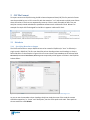
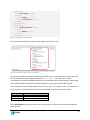
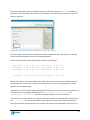
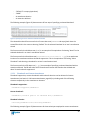
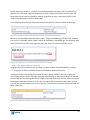
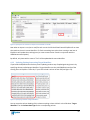
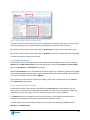
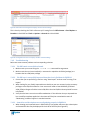
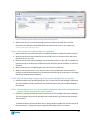
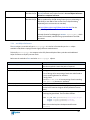
encoding can be specified in the Encoding field on the CSV tab:
Figure 22. Indicating to the EBI the encoding of your CSV file
The EBI defaults to UTF-8 which is the most common format for text files. However, Microsoft Excel®
often uses Latin-1 encoding when creating text files that contain special characters. Upon an import if
you receive an error such as 'utf8' codec can't decode byte or special characters appear
incorrectly in EQUELLA then try changing the encoding selection and re-run the import.
5.2 Attachments and Hyperlinks
5.2.1 Specifying Attachments to Import
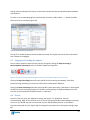
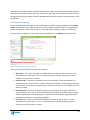
In the example CSV in Figure 12 the fourth column specifies the location of an attachment for each
record. These are file paths and can either be relative to the folder that the CSV is in (e.g.
“attachments/FordEscape.jpg”) or absolute (e.g. “c:/My Documents/My Pictures/FordEscape.jpg”). This
column can be placed in any position in your CSV. If you are running the EBI on Linux, Unix or Macintosh
you should always use forward slashes (“/”) in your file paths. On Windows you can use either forward
or backward slashes.
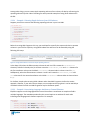
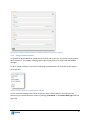
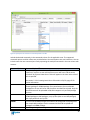
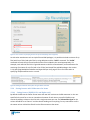
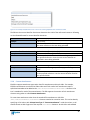
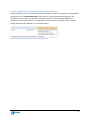
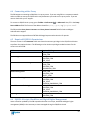
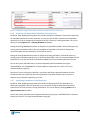
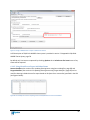
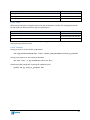
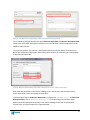
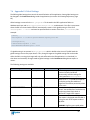
The EBI needs to be instructed which column contains attachments locations. This is done by setting the
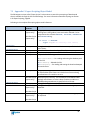
Column Data Type for the corresponding Column Heading to “Attachment Locations” (see Figure 23).
23