1
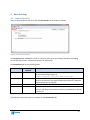
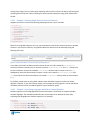
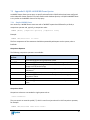
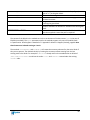
Basic Tab
Field
Load last settings file
when starting EBI
Action
If this setting is checked, when next launched the EBI will automatically
load the last opened or saved settings file (*.ebi).
Clear log each run
When checked the EBI will clear the log prior to starting each test or real
run.
Save password in settings
file
When checked, upon save the EBI will encrypt and save the password in
the connection tab to settings files.
Log buffer size (lines)
This controls the maximum amount of text displayed in the EBI’s Log tab.
Will revert to default (1,000 lines) if cleared.
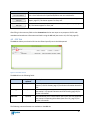
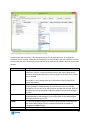
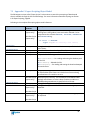
Advanced Tab
Field
Proxy Server Address
Action
The address of your network’s proxy server if one is required to connect
to EQUELLA (see section 6.4 Connecting with a Proxy, page 54).
Proxy Server Username
The username for basic or digest authentication with your network’s
proxy server.
Proxy Server Password
The password for basic or digest authentication with your network’s
proxy server.
Debug mode
When checked the EBI will output to the display and log files additional
diagnostic information particularly when errors occur.
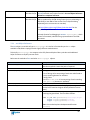
Network logging
When checked network diagnostic information is displayed and recorded
in the log for each HTTP request made to EQUELLA. WARNING: log files
grow rapidly when this setting is in effect, potentially more than 50Kb per
item. To avoid excessively large log files only use this setting with a small
set of records per run.
Attachment chunk size
(bytes)
Controls the size of each “chunk” that attachments are broken up into
during upload. Each chunk is transmitted as a single HTTP or HTTPS
request. Will revert to default (2 MB) if cleared.
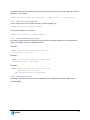
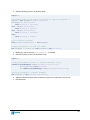
These settings and others are stored in an automatically created “global” settings file. See section 7.6
Appendix E: Global Settings, page 92, for more information.
6.13 Saving Item IDs of Imported Items
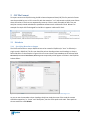
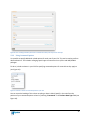
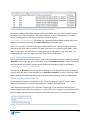
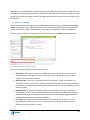
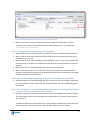
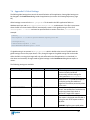
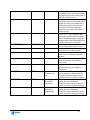
It is possible to produce a list of item IDs assigned to the items that you imported. Do this by including
an empty column in your CSV and setting its Column Data Type to “Item ID” (you can give it any column
heading you wish). In doing this the EBI will create a copy of your CSV file in a sub folder called
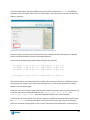
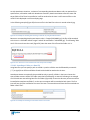
receipts found within the folder containing the CSV (see Figure 78).
64