1
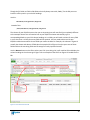
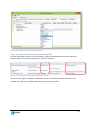
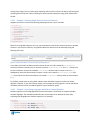
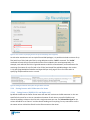
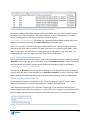
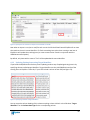
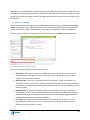
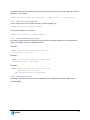
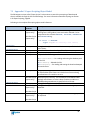
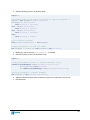
In the example above Column C has been given a column data type of “Attachment Locations” and
column D has been given a column data type of “Thumbnails”. Both columns are using “|” as the
delimiter. Each of the three data rows have four files specified in the Attachment Locations column.
Note that the Thumbnails column’s column heading may be anything as the EBI will ignore it.
In the first data row two attachment locations have been specified in the “Thumbnails” column,
files\pictures\squirrel.jpg and Circular Motion 1.jpg. The EBI will instruct EQUELLA to
generate thumbnails only for those two attachment locations and suppress thumbnail generation for
the rest (images\Dining 1.jpg and images\Faren-Celc Conv.tif). Note that the Attachment
Location values are case-sensitive.
In the second data row an extension wildcard *.tif is used in the “Thumbnails” column. This causes
EBI to instruct EQUELLA to generate thumbnails of all attachment locations that have that file extension.
This is a case insensitive match but the extension must be spelt the same e.g. *.jpg will not match *.jpeg.
The third data row demonstrates how to specify a custom thumbnail. In this case the EBI will still
instruct EQUELLA to suppress thumbnail generation of the attachment location and will specify another
file attachment to use as a thumbnail. In the example, the “Thumbnails” column value
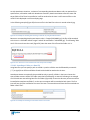
files\pictures\squirrel.jpg:Dining 1.jpg instructs the EBI that the attachment location
files\pictures\squirrel.jpg should use the file Dining 1.jpg as its thumbnail (which should
be a file attached to the same item) and thumbnail generation for files\pictures\squirrel.jpg
will be suppressed. Note that the thumbnail should be specified as a relative path from the item’s
filestore.
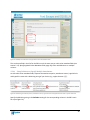
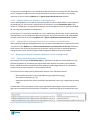
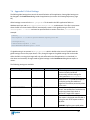
5.3.5.2 Selecting the Item’s Thumbnail
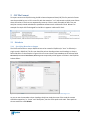
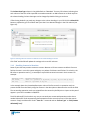
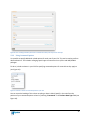
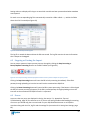
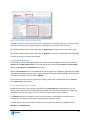
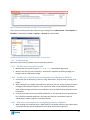
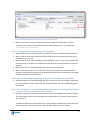
In an EQUELLA contribution wizard it is possible to select a thumbnail for the item to control how it is
displayed in search results (see Figure 50).
Figure 50. Selecting an item’s thumbnail in an EQUELLA contribution wizard
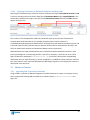
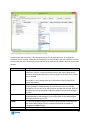
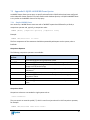
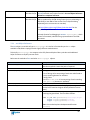
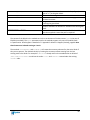
This thumbnail selection can be achieved in an EBI import by including a column with a Column Data
Type of “Selected Thumbnail” (the column can have any column heading).
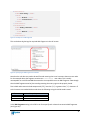
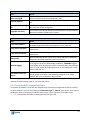
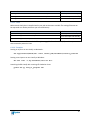
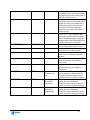
The allowed values are:
42