1
Contents
4
5
6
3.5
LPR Printing.................................................................................. 3-5
3.6
IPP Printing ................................................................................... 3-6
3.7
Specifying network settings from Printer Management
Utility.............................................................................................. 3-7
Access ............................................................................................ 3-7
Operation........................................................................................ 3-7
Logging In to the Admin Mode........................................................ 3-7
Network Tab ................................................................................... 3-8
Properties Settings
4.1
Description of each tab (Windows)............................................. 4-1
4.2
Description of each tab (Linux)................................................... 4-3
4.3
Print options (Macintosh OS 7/8/9) ............................................. 4-4
4.4
Print options (Mac OS X) ............................................................. 4-5
Network Interface Card
5.1
Getting ready ................................................................................ 5-1
Utility software (on the CD-ROM) ................................................... 5-2
System requirements...................................................................... 5-3
5.2
Setting up the network card ........................................................ 5-4
Connecting a network cable ........................................................... 5-4
Configuring the network card.......................................................... 5-4
Scanner Mode
6.1
7
ii
Outline ........................................................................................... 6-1
E-Mail (Scan to E-mail)................................................................... 6-1
Folder (Scan to Server) .................................................................. 6-2
URL ................................................................................................ 6-3
Necessary Settings......................................................................... 6-4
Necessary Devices (servers).......................................................... 6-4
Printer Management Utility
7.1
System requirements ................................................................... 7-1
7.2
Access ........................................................................................... 7-2
Operation........................................................................................ 7-2
Entering the password.................................................................... 7-2
7.3
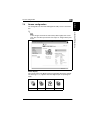
Screen configuration.................................................................... 7-3