1
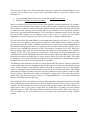
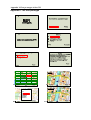
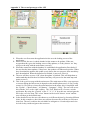
The development of the client page was similar to the development of the administrator’s
page, and its main purpose is to register a new client, add new shop and update information,
see fig. 14. After the client is registered a username and password is provided by the
administrator. Client logs in to the portal and he can then perform the following functions:
- Add/ delete shops
- Add/ delete comments
- Update information on shops, comments
- Retrieve password if lost
- Change password
- Log out
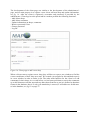
Figure 14. Client page to add a new shop
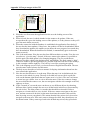
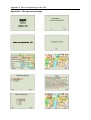
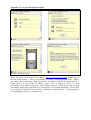
When a client wants to register a new shop, they will have to open a new window to find the
correct coordinates of their shop on a map. We created a java applet for this and had to put it
in a new window in order to make it run. The other main function for the client is to add
comments for their shops. As we said before, we had some problems to restrict the comments
up to 400 characters and the start and stop dates that client has to put in is defined as datetime
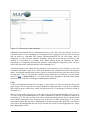
format in the database, that is if only year-month-day is entered, it will add zeros for hh-mmss in the database, see fig 15 on page 37.
36