1
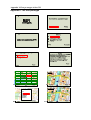
UC2 The interactive updater
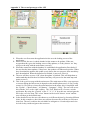
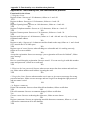
1. The user starts the mobile application while in the city, not having access to a PC.
2. The application asks the user if the client database should be updated.
3. The client connects to the central database using GPRS.
4. The client uses time stamps to update only the necessary information.
5. If the connection is broken it must be possible for the client to perform a roll-back
reverting to the old database.
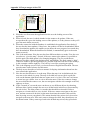
UC3 Money maker
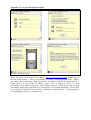
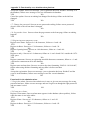
1. The user feels the need to withdraw some cash. Since the user is new in town he / she
have no idea where to find an ATM.
2. The user chooses to view only banks and ATM machines in the client application.
3. On the map banks and ATM machines are shown as clickable icons.
4. When a user clicks on an icon information about the bank is shown, such as the name
of the bank, opening hours and if foreign currency is available.
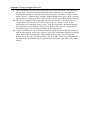
UC4 Feed the hungry
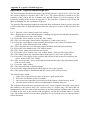
1. The user gets hungry and wants to know where the nearest restaurant is located.
2. The user chooses to open the application and view the restaurants located in the area.
3. The application points out different restaurants on the map, as clickable icons.
4. When the user clicks on the icon he/she is interested in the information of that
particular restaurant is shown.
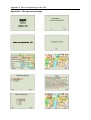
UC5 The shopaholic
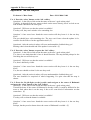
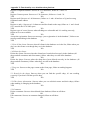
1. 19 year old Felicia is new in town and interested in what shoe stores Halmstad has to
offer.
2. She downloads the application from the web page and uses it.
3. She chooses the shopping skin and gets a map showing all the shops in the area
represented as little icons.
4. She then chooses an icon from the map and gets all the vital information the shop has
entered, including sales and offers.
6.2 System requirements
After making the initial feasibility study we made a deeper elicitation and analysis regarding
our requirements. This involved some prototyping to understand if the technology we wanted,
and expected to use was functional for our project. We also looked more at the competition in
order to better understand how they implemented their mobile maps and how we could
distinguish ourselves from them. When this testing was done we started documenting our
system requirements. Kruchten (1999) describes a requirement as a condition or capability to
which the system must perform. Kruchten (1999) also separates the requirements into two
main sets; the functional and non-functional requirements. The functional requirements
specify the actions the system must be able to perform and the non-functional requirements
are related to the end-user.
We have also sorted them out in these two sets. The functional requirements are usually easier
to confirm than the non-functional requirements (Sommerville, 2001). We think that one way
to solve this is by using regular testing and prototyping. The requirements we present have
also been changed during our iterative development process, something that we will show in
our coming phases. This change made the requirement document to grow in size so we only
describe the user scenario for every platform in this section (all the requirements are shown in
appendix C: Mobile platform; Administration platform; User portal).
15