Download Two-Dimensional Fourier Processing of

Transcript
through the 2D spectrum mode menu, a sub-menu of ‘Plot Settings’ and the selection is
stored as a string in the spec2D mode variable within the plot settings structure.
4.4.3
Brightness & Contrast of Display
In order to allow a more flexible display, additional brightness and contrast parameters
have been introduced into the algorithm and sliders are provided on the user interface to
allow their adjustment. The brightness parameter adjusts the overall brightness of the
display by scaling the magnitude values and the contrast parameter is used as an exponent
of the magnitude data to adjust the display scale.
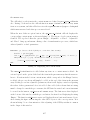
The brightness slider’s value has a rangeof [0 0.995], and this is used in the following
equation to obtain the specBrightness variable which has a range of [0.0314 1.633e+016]
and is inversely proportional to the slider value. After some experimentation it was found
that this range with a exponential style scale gave the most intuitive control settings.
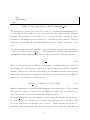
specBrightness = −tan ((slider value − 1) ∗ π/2)
(4.19)
This specBrightness variable is stored in the plot settings structure, as is specContrast.
It is used within the polar2colour function as a divisor to the magnitude component (normalised and log scaled) to scale it.
The contrast slider’s value has a range of [-1 1] and this is converted to an exponentially
scaled range of [0.2 2] using the following equation:
specContrast = 2 ∗ 10(slider value−1)/2
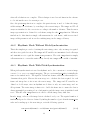
(4.20)
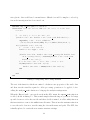
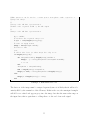
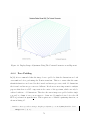
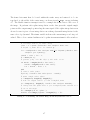
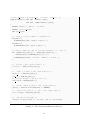
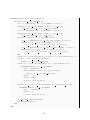
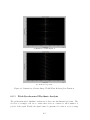
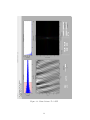
specContrast is used in the calc spec2D function (listing 4.3) as an exponent of the
logarithmic normalised magnitude component, which has a range of [0 1]. The plot in
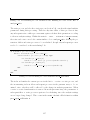
figure 4.9 attempts to visualise this display range adjustment. The normalised magnitude
is equivalent to variable magN in the calc spec2D function and the contrasted logarithmic
normalised magnitude is equivalent to magLN. The given range of the specContrast variable
was chosen to allow the most useful scale of contrast adjustment.
75