1
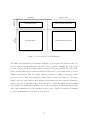
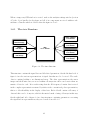
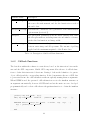
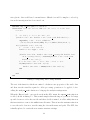
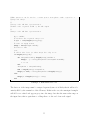
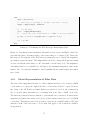
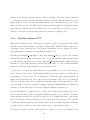
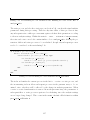
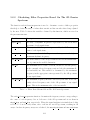
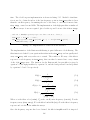
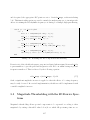
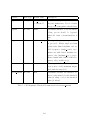
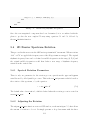
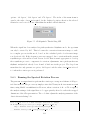
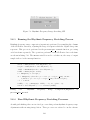
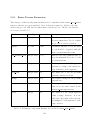
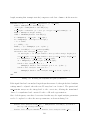
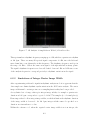
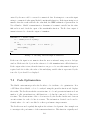
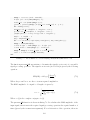
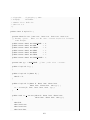
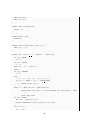
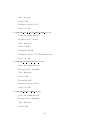
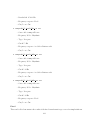
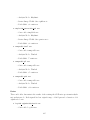
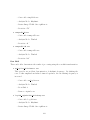
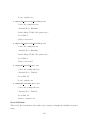
Figure 3.6: Data Structure for Audio Player Settings
The audio player’s settings are stored in the player settings data structure, shown in
figure 3.6. The variable play frame is set to true when only the current frame should be
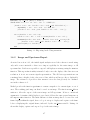
played. Playing a subsection of the audio signal is quite simple with the audioplayer object. The start and end sample indices are passed in as an argument to the play function.
The sample indices for the current frame are stored in the frame settings structure. The
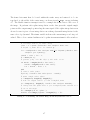
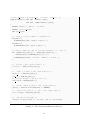
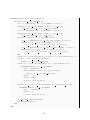
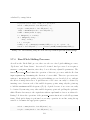
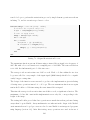
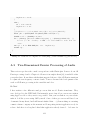
audio player’s ‘Play’ push button has a callback function that calls the play audio shown
in listing 3.6.
function p l a y a u d i o ( h a n d l e s )
%−− P l a y s t h e a u d i o d a t a u s i n g t h e a u d i o p l a y e r o b j e c t . The ’ p l a y f r a m e ’
%s e t t i n g d e t e r m i n e s b e t w e e n p l a y i n g a s u b s e c t i o n o f a u d i o or t h e
%wh o le a r r a y .
i f handles . p l a y e r s e t t i n g s . play frame
play ( handles . player , [ handles . f r a m e s e t t i n g s . f r a m e s t a r t handles .
frame settings . frame finish ]) ;
else
play ( handles . player ) ;
end
Listing 3.6: Playing Audio
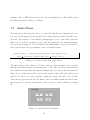
The loop variable corresponds to the state of the ‘Loop’ toggle button on the audio player’s
user interface. If loop is true then the audio should resume playing from the beginning
unless the ‘Stop’ button has been pressed. The audioplayer object’s StopFcn property
can be set to define a function that is called each time the audioplayer stops playback,
whether it has played to the end of the audio or been stopped using stop. In order to
differentiate between these two situations, the stopped variable is used. Pressing the ‘Play’
button sets stopped to false and it only becomes true when the ‘Stop’ button is pressed.
50