1
Import an Existing Music Scheduler
Your existing music scheduler may be able to output an appropriate text file. The best method is to
either export the data to a Delimited-Text file or a Position-Dependent-Text file (if your music
scheduler has that capability). Alternatively you can "print" a music list to a text file which will result in
a Position-Dependent-Text file. You will need to see the one of the following sections of this manual
for specific importing details depending on the type of file created by your existing music scheduler.
Ø
Ø
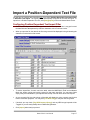
Import a Position-Dependent Text File
Import from a Delimited Text File
Converting from Natural Music DOS
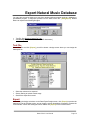
To import your Natural Music for DOS database into Natural Music 5 for Windows:
§
From the Natural Music for Windows Main Screen, click [Data][Import]
§
Select Natural Music for DOS from the Import FileType box.
§
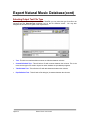
Next to the Import FileName Box, click [Browse] to find the Natural Music DOS File named
NatMus.STP. This file will be located in the
\NATMUS-1\FILES folder for station 1
\NATMUS-2\FILES folder for station 2
\NATMUS-3\FILES folder for station 3, and so on.
§
When you find the NatMus.STP file, click [Open].
§
Enter a name for your Natural Music for Windows database and click [Start] to convert the
Natural Music DOS database into Natural Music 5 for Windows format.
Importing from another NM5 database
You may want to create a new database with all or some of the songs from another Natural Music 5
for Windows database.
§
Select or create a new "Target" station database into which the songs are to be imported.
§
Select the NM5 file type to be imported from the Import File Type dropdown box in the
[Data][Import] section.
§
Select the "Source" NM5 database from which songs are to be imported.
§
Select all Music Category(s) to be imported.
§
Click [Import] Any song found in the source database and not found in the target database will
be imported. (If the Source field matches in both databases it is considered the same song and
will not be duplicated).
Page 9-6
Natural Music User Manual